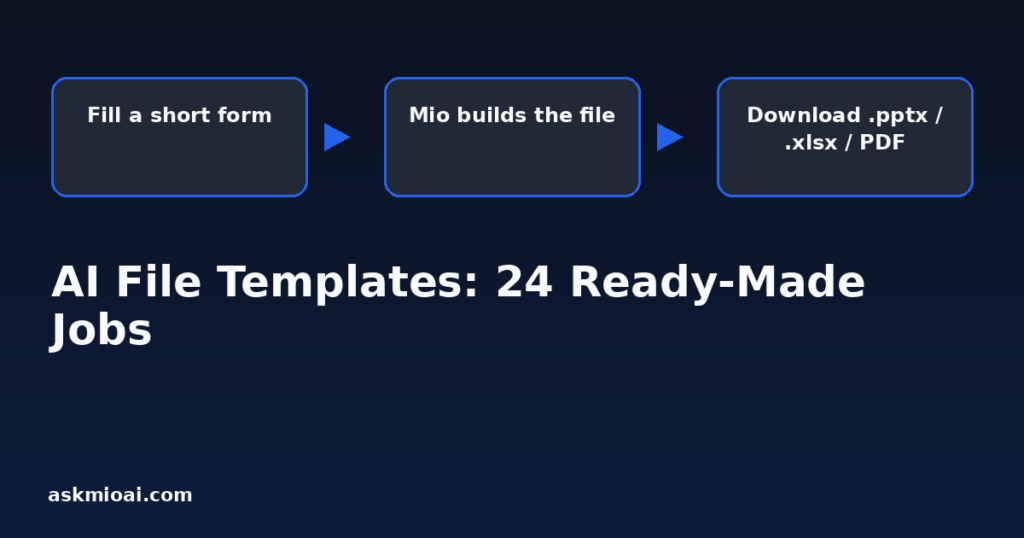
AI file templates turn a short form into a finished document — a .pptx deck, an .xlsx spreadsheet, a PDF flyer, an HTML page — instead of a chat reply you’d have to reformat yourself. Ask Mio calls this layer “ready-made jobs,” and it covers 24 of them, each built around one specific output rather than an open-ended conversation.
Form In, Finished File Out
The pattern behind every one of these AI file templates is the same: you fill in a handful of fields — topic, audience, tone, key numbers, length — and Mio returns a complete file rather than paragraphs you’d need to paste into PowerPoint or Excel yourself. Ask for a “Slide deck (PowerPoint)” and you get an actual .pptx with a title slide, agenda, content slides and speaker notes, not a bullet outline you still have to build slides from. Ask for a “Quote / invoice draft” and you get a PDF with line items and totals already laid out, not a description of what an invoice should contain.
This is a different job from a normal chat reply, which is why it sits in its own section of the features page alongside tools, experts, connectors and modules. A tool answers one factual sub-question mid-reply; an expert frames an entire conversation; a ready-made job produces a deliverable you can hand to someone else or upload somewhere without further editing.
All 24 Ready-Made Jobs
| Job | What you get |
|---|---|
| Slide deck (PowerPoint) | A ready .pptx: title, agenda, content slides and speaker notes. |
| Interactive slides (HTML) | A single HTML file you open in a browser and present with arrow keys. |
| Spreadsheet / table | An .xlsx file: budget, plan, price list, comparison or tracker across several sheets. |
| Image / poster | A generated picture: featured image, poster, banner or illustration. |
| Flyer / one-pager (PDF) | A designed A4 PDF: offer, product sheet or event flyer. |
| SEO article | A structured article with headings, a meta title and description. |
| Social media pack | Posts for Facebook, LinkedIn, X and Instagram from one idea. |
| E-mail reply | A polite, ready-to-send reply in the right tone. |
| Meeting notes → summary | Raw notes or a transcript turned into decisions, tasks and a follow-up e-mail. |
| Research brief | Mio searches the web and returns a sourced brief on a topic. |
| Code review / fix | Paste code or attach a ZIP — Mio finds bugs and suggests fixes. |
| CV / resume | A clean CV tailored to a specific job ad, plus a short cover letter. |
| Business plan | A lean plan: problem, solution, market, model, numbers, risks. |
| Contract / document check | A plain-language summary of a contract with risky clauses highlighted. |
| Product descriptions | Shop-ready descriptions with benefits, specs and an SEO title. |
| Quote / invoice draft | A quote or invoice draft as a PDF, with positions and totals. |
| Analyse my data | Paste a table or attach a CSV/XLSX — Mio finds patterns and builds a summary. |
| Learn something | A study plan with weekly steps, materials and exercises. |
| Trip plan | A day-by-day itinerary with prices, transport and booking links. |
| Ads (Google / Meta) | Ad headlines and descriptions that fit platform character limits. |
| Website page copy | Hero, benefits, FAQ and a call to action for a landing page. |
| Diagram / flowchart | A process, org chart or architecture diagram as an HTML/SVG file. |
| Menu / shopping list | A weekly menu with a shopping list and calories. |
| Translate a document | A translation that keeps formatting, names and numbers. |
The File Formats You Actually Get
The output format is part of what makes AI file templates useful — a .pptx opens directly in PowerPoint or Google Slides; an .xlsx opens in Excel or Sheets with formulas and multiple sheets intact; a PDF flyer or invoice is ready to send as-is; an HTML file, whether an interactive slide deck or a diagram, opens in any browser with no software to install. Two of the 24 are worth their own deeper guide because the format itself is the interesting part: the PowerPoint deck generator and interactive HTML slides, which solve the same presentation problem in two very different ways.
What a Generated File Is Good For — and What It Isn’t
A ready-made job is strongest when the structure of the output is well-understood and repetitive: a quarterly report deck, a weekly CV tailored to a new job ad, a batch of product descriptions for a catalog. In those cases, the template does in seconds what would otherwise be twenty minutes of manual formatting, and the result needs only light editing.
It’s weaker when the deliverable needs judgment calls a template can’t make for you — a business plan template can lay out problem, solution, market and numbers, but it cannot know your actual unit economics unless you supply them, and a contract check can flag risky clauses in plain language but is not a substitute for a lawyer’s sign-off on anything with real legal weight. Treat every generated file as a strong first draft: the structure and formatting work is done, but numbers, claims and anything that will be signed or published should get a human pass before it goes out.
The same caution applies to anything customer-facing. “Product descriptions” can write dozens of shop-ready entries from a spec sheet, but specs, prices and stock claims should be checked against the actual product before publishing at scale — a template will happily generate a confident, well-formatted description of a detail it was given wrong. The template’s job is structure and tone; accuracy of the underlying facts is still the person filling in the form’s responsibility.
Choosing Between Similar Templates
| If you want… | Use this template, not that one |
|---|---|
| A live conversation about strategy | Pick an expert like “Marketing strategist” — not a template |
| A finished deck to present | “Slide deck (PowerPoint)” for .pptx, “Interactive slides (HTML)” for a single browser file |
| Numbers and a chart from your own data | “Analyse my data” for exploration, “Spreadsheet / table” for a formatted deliverable |
| A one-off reply to one e-mail | “E-mail reply” — not “Website page copy,” which is for a full landing page |
| A summary of a legal document | “Contract / document check” — flags risk, does not replace legal advice |
Why a Form Beats a Freeform Chat Request for These Jobs
You could ask for any of these 24 outputs as a plain chat message — “make me a slide deck about our Q3 results” — and Mio would attempt it. The reason a structured form works better for AI file templates is that a form asks for the specific fields a good version of that file actually needs before generation starts, rather than after you’ve already reviewed a first attempt and found it’s missing your target audience, your actual numbers, or your brand’s tone. A CV template asking for the specific job ad up front produces a more tailored result than a generic “write me a CV” request followed by three rounds of “no, more like this.” The form is slower to fill in by about thirty seconds and faster to a usable result by several editing passes.
That said, the form isn’t mandatory scaffolding — you can still describe what you want in plain language inside the relevant fields, including pasting an existing draft to revise rather than starting blank. The structure just makes sure Mio has the inputs a well-formed version of that specific file type needs.
How Ready-Made Jobs Fit Into Points Pricing
Generating a full file is a heavier job than a short chat reply, and Ask Mio’s points system reflects that: a normal chat reply costs 1 point, a long or complex one costs 3, and more demanding generation work costs more, per the pricing page. A generated image specifically costs 20 points. Exactly how a multi-slide deck or a multi-sheet spreadsheet is priced depends on the complexity of what’s requested, but the general pattern holds: a finished file that would have taken real manual work to build costs more points than a one-line factual answer, and heavier template use is where a paid plan’s larger monthly point allowance and bigger per-window ceiling start to matter more than they would for casual chat.
Templates for Teams, Not Just Individuals
On plans with team seats, the same 24 AI file templates work for a shared project rather than a single person’s chat history — one person building the “Business plan” while another uses “Analyse my data” against the same underlying numbers, both contributing to material the team will eventually assemble into the “Slide deck (PowerPoint)” that goes to investors or a client. Because the output is always a standard file format, handing work between teammates or into a separate design tool afterward needs no conversion step.
A Worked Example
Say a small business needs to respond to an RFP by Friday. In one session: use “Research brief” to pull background on the client’s industry, use “Business plan” fields to structure the pricing and delivery model being proposed, and finish with “Slide deck (PowerPoint)” to turn the approved content into an actual deck with speaker notes for whoever presents it. Three ready-made jobs, three different file types, one afternoon instead of a full day formatting slides by hand.
Frequently Asked Questions
Do I need a paid plan to use ready-made jobs?
Some templates that produce files are gated to paid plans, since the underlying generation draws on stronger models than the free tier routes to. Check the pricing page for which modes and features each tier includes.
Can I edit the file after Mio generates it?
Yes — a .pptx, .xlsx or PDF from a ready-made job opens in the normal software for that format (PowerPoint, Excel, any PDF reader), and you edit it exactly like a file you built yourself. The template gets you a finished first draft, not a locked document.
What’s the difference between “Analyse my data” and “Spreadsheet / table”?
“Analyse my data” is exploratory — paste a table or attach a CSV/XLSX and Mio finds patterns and writes a summary. “Spreadsheet / table” produces a formatted deliverable file — a budget, tracker or comparison — built to be used or shared as-is, potentially across several sheets.
Does the SEO article template guarantee good rankings?
No template guarantees a search ranking — rankings depend on many factors outside the article itself. The “SEO article” template produces a structured piece with headings, a meta title and description, which covers the on-page basics; it doesn’t control backlinks, site authority or competition.
Can a ready-made job read a file I already have?
Several can — “Code review / fix” accepts pasted code or a ZIP, “Analyse my data” accepts a CSV or XLSX, and “Contract / document check” and “Translate a document” work from a document you provide. Others, like “Trip plan” or “Learn something,” build primarily from the fields you fill in rather than an uploaded file.
How is a diagram template different from an image template?
“Image / poster” generates a picture — a banner, illustration or featured image — using image generation. “Diagram / flowchart” produces a process, org chart or architecture diagram as an HTML/SVG file, which is structured and editable rather than a flat picture.
The Bottom Line
AI file templates exist for the moments a chat reply isn’t the right shape for what you need — a deck to present, a spreadsheet to hand off, a PDF to send. Twenty-four cover most of the recurring documents a small team produces, from a CV to a full business plan, and each returns a real, editable file in its native format. Try the one closest to something you build by hand every week, and see whether the plan that unlocks it pays for itself in time saved.