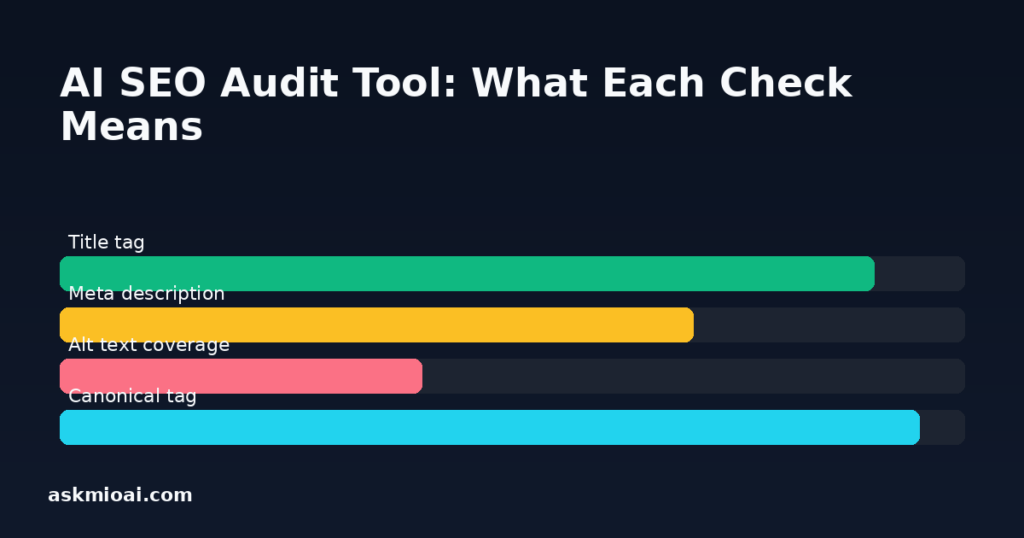
An AI SEO audit tool checks the structural signals search engines and social platforms actually read from a page — title, meta description, Open Graph tags, headings, word count, images missing alt text, robots directives and the canonical tag — and tells you which ones are missing or wrong. Ask Mio’s Page & SEO audit does exactly that list, in one request, without you opening a separate SEO tool or reading raw page source yourself.
What Gets Checked, and Why Each One Matters
Ask a question like “audit example.com/blog/my-post for SEO issues” and Mio calls the Page & SEO audit tool, which reads the page and reports on a fixed set of checks. Here’s what each one actually means and what to do when it fails.
| Check | What it means | If it fails |
|---|---|---|
| Title tag | The text shown as the clickable headline in search results and browser tabs | Add a unique, descriptive title under roughly 60 characters that includes the page’s main keyword |
| Meta description | The summary text search engines may show beneath the title in results | Write a 140-160 character description that states what the page offers and includes the keyword |
| Open Graph tags | Metadata (og:title, og:description, og:image) that controls how a link looks when shared on social platforms | Add the missing og: tags so shared links show a proper title, description and image instead of a blank preview |
| Headings | The H1–H6 structure that outlines the page’s content hierarchy | Ensure exactly one H1 exists and headings nest logically — skipping from H1 to H4 confuses both readers and crawlers |
| Word count | How much actual text content is on the page | Thin pages (a few dozen words) rarely rank for competitive terms — expand with genuinely useful content, not padding |
| Images without alt text | Images missing a text description for screen readers and image search | Add descriptive alt text to every meaningful image — both an accessibility and an SEO gap |
| Robots directive | Instructions (in the page or a meta tag) telling search engines whether to index the page | Check this isn’t accidentally set to noindex on a page you want found |
| Canonical tag | A link telling search engines which URL is the “real” version when content is duplicated or accessible at multiple addresses | Add a self-referencing or correct canonical to avoid duplicate-content confusion |
Why This Beats Reading Source Code Yourself
Everything the audit checks is technically visible if you right-click “view page source” and read carefully, but doing that by hand for even one page takes real time and is easy to get subtly wrong — missing that a canonical tag points to the wrong URL, or that an Open Graph image tag exists but references a broken image path. Running the same check across several pages of a site multiplies that time. The AI SEO audit tool applies the same fixed checklist consistently to whatever page it’s pointed at, and because it’s part of a normal chat, you can immediately ask a follow-up — “which of these three pages has the weakest headings?” — rather than manually collecting results in a spreadsheet first.
What the Audit Does Not Tell You
It’s worth being precise about scope. This is an on-page structural audit — it checks what’s present in the page’s own HTML, not off-page signals like backlink count, domain authority, or actual search ranking position for a given keyword, none of which live in a page’s source code. It also doesn’t test page speed, Core Web Vitals, or mobile rendering, which are separate categories of technical SEO that need different tools entirely. A page can pass every check in this audit and still rank poorly because of thin backlinks or strong competition, and a page can fail several checks here and still rank reasonably if it has enough authority and relevance otherwise. Treat this audit as “are the on-page basics correct,” not “will this page rank number one.”
Open Graph Tags, in More Detail
Open Graph deserves a closer look because it’s the check people notice failing only after the damage is visible — usually when a link to their own page gets shared on Slack, LinkedIn or X and shows up with no image, a generic site name instead of the page’s actual title, or no preview text at all. The three tags that matter most are og:title, og:description and og:image, and each maps to something visible: the bold text in a link preview, the summary line beneath it, and the thumbnail image. Unlike the meta description, which is written primarily for a search results snippet, Open Graph tags are written for social sharing specifically — it’s common, and fine, for the two to differ slightly in tone, since one is competing for a click in a results list and the other for attention in a social feed. The AI SEO audit tool checks whether these tags exist and are populated; whether the linked og:image actually resolves to a real, appropriately sized image is worth a manual spot-check afterward, since a broken image path is a common and easy-to-miss failure mode.
Common Misunderstandings This Audit Clears Up
A few beliefs about on-page SEO persist past their usefulness. One is that meta keywords still matter for ranking — major search engines stopped using the meta keywords tag as a ranking signal years ago, which is why it isn’t part of this audit’s checklist at all; what the audit checks instead (title, description, headings) reflects what actually still carries weight. Another is that more text always helps — the word count check exists to flag pages that are suspiciously thin, not to reward padding a page to an arbitrary number; a focused 600-word page that fully answers a specific question usually serves readers and rankings better than 2,000 words of filler. A third is that a canonical tag is optional unless you have obvious duplicate content — in practice, URL parameters (tracking codes, session IDs, sort orders) create accidental duplicates on far more sites than people expect, which is why the audit checks for a canonical unconditionally rather than only when duplication looks obvious.
What Running This Regularly Looks Like
The audit is cheap enough, in terms of effort, to run as a habit rather than a one-time cleanup. A reasonable pattern: audit every new page before it’s published, since fixing a missing H1 or absent meta description takes thirty seconds before launch and much longer to notice and fix after a page has been live and indexed for months. For an existing site, auditing the highest-traffic pages first — the ones where a small on-page fix reaches the most visitors — is a better use of time than working through every page in publish order. Because the check runs inside a normal chat, there’s no separate login or dashboard to maintain just to keep this habit going.
A Worked Example
Ask Mio: “Run an SEO audit on our pricing page and tell me the three most important fixes.” A typical response might flag a missing meta description (the page currently shows no summary in search results), three images in a comparison table with no alt text (both an accessibility gap and a missed opportunity for image search), and an H1 that’s missing entirely because the page uses a styled div instead of a heading tag. Those three, in order of likely impact, become a short punch list instead of a vague “improve your SEO” instruction.
Using the Audit Alongside Other Ask Mio Features
The audit pairs naturally with a few other parts of Ask Mio. The web page reader or live browser tool is what actually fetches the page content the audit checks — for a JavaScript-heavy page, make sure the audit is reading the rendered version, not an empty shell. The “SEO specialist” expert is useful for turning a list of audit failures into an actual content plan — the audit finds the gaps, the expert helps prioritize and write the fix. And the “SEO article” ready-made job generates new structured content with a meta title and description already in place, which is often faster than retrofitting an old page once you know what’s missing.
What Auditing Multiple Pages Costs
Ask Mio prices usage in points, not per tool call — a normal chat reply costs 1 point and a longer, more detailed one costs 3, per the pricing page. Running the SEO audit tool on a page and getting back a structured list of findings is priced like any other reply of similar length, so auditing five or ten pages in one session, one at a time, is a matter of the site’s free or paid monthly point allowance rather than a per-audit fee stacked on top. For a content team auditing every new page before publish, that predictability matters more than the audit’s raw speed — you can budget how many pages a month’s allowance covers.
A Quick Self-Audit Checklist
| Check | Quick test |
|---|---|
| Title tag | Is it unique per page and under ~60 characters? |
| Meta description | Does it exist and read like a reason to click, not a keyword list? |
| One H1 per page | View source — count H1 tags; there should be exactly one |
| Alt text | Right-click an image, inspect, check for an alt attribute with real text |
| Canonical tag | Does it point to this exact URL, not a different one? |
Frequently Asked Questions
Does the SEO audit tool check backlinks or domain authority?
No. It checks on-page structural elements — title, meta description, Open Graph tags, headings, word count, image alt text, robots and canonical. Backlinks and domain authority are off-page factors that require different tools to measure.
Can the audit tell me why a page isn’t ranking?
It can tell you whether the on-page basics are correct, which is one input into ranking, but not the only one. A page can fail a ranking despite a clean audit due to competition, backlinks or relevance, and it can rank despite audit failures if it has enough authority otherwise.
Does the audit check page load speed?
No — the checklist covers title, meta description, Open Graph tags, headings, word count, images without alt, robots and canonical. Page speed and Core Web Vitals are a separate category of technical SEO not covered by this tool.
What does a missing canonical tag actually cause?
Without a canonical tag, search engines may treat near-duplicate URLs (with tracking parameters, trailing slashes, or http vs https variants) as separate pages, which can dilute ranking signals that should all be crediting one page.
Can I audit a page that requires a login?
The audit reads whatever the underlying page-reading tool can access — publicly visible content. A page gated behind a login isn’t something the audit can check unless you’re providing publicly accessible content.
Is a missing H1 always a problem?
Almost always worth fixing — an H1 tells both readers and search engines what a page is fundamentally about. A page with no H1, or with multiple competing H1s, sends an unclear signal about its primary topic.
The Bottom Line
An AI SEO audit tool won’t replace backlink analysis or rank tracking, but it catches the on-page basics — missing meta descriptions, absent alt text, broken heading structure — in one request instead of a manual page-source review. Run it on your most important pages first, fix what it flags, and pair it with the SEO specialist expert or the SEO article template for the actual content work. Try it directly inside a normal Ask Mio chat, or see the pricing page for which plan fits your usage.