
 Lietuviškai
 Deutsch
 Français
 Русский
 Español
 Polski
 Italiano
 Українська
 Čeština
 Português
 日本語
 Latviešu valoda
 Eesti
 Magyar
 Bahasa Indonesia
 Türkçe
 हिन्दी
 Ελληνικά
 العربية
 ไทย
 Tiếng Việt
 Română
 Bahasa Melayu
 বাংলা
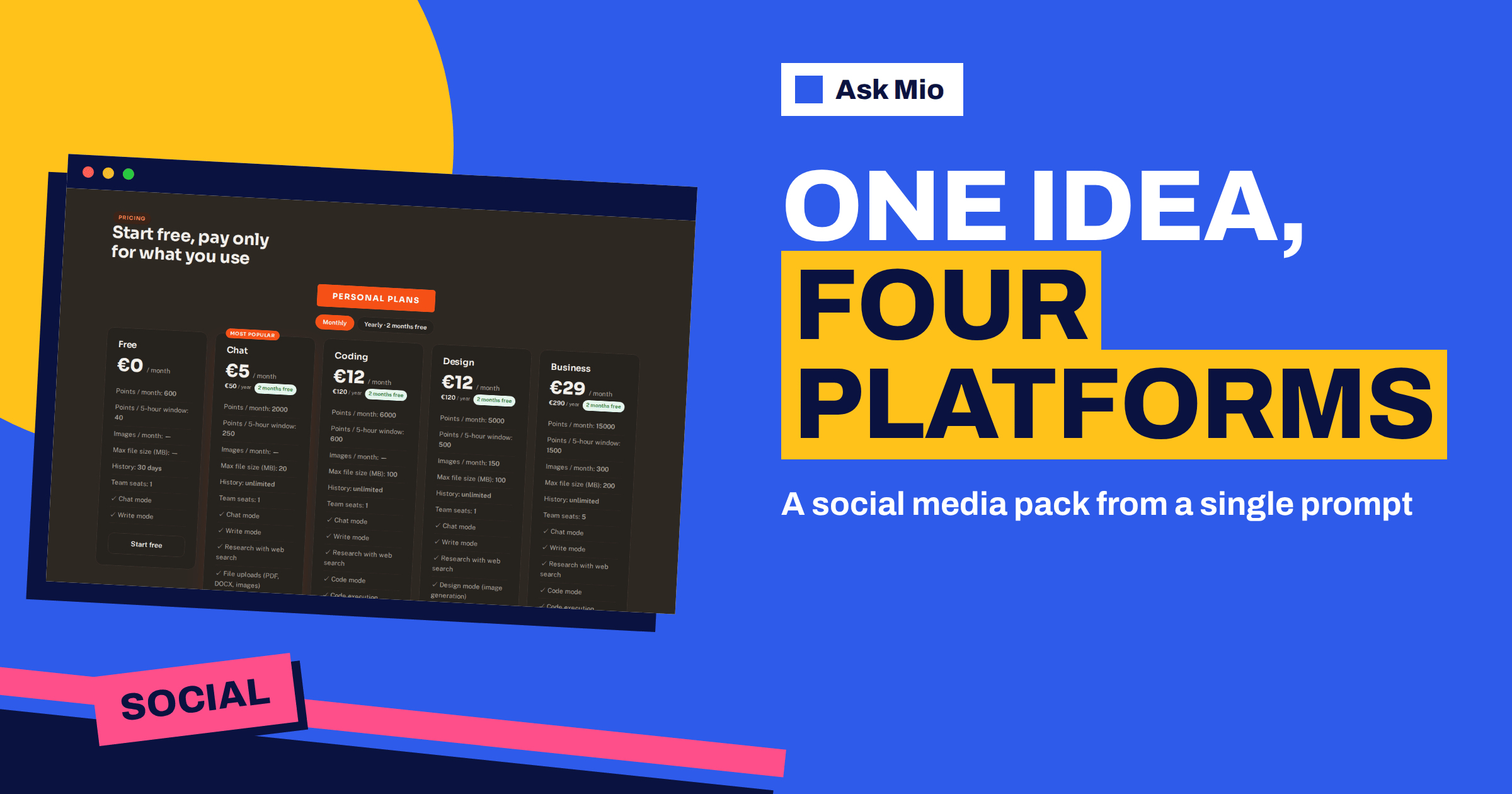
An AI social media pack saves the part of social media work that nobody enjoys: taking one idea and rewriting it four times for four different audiences. Ask Mio has a ready-made job for this. The features page describes it as a social media pack, with posts for Facebook, LinkedIn, X and Instagram from one idea. You fill in a short form, and Mio returns a set of drafts you can edit and post.
This guide shows how the AI social media pack job works in practice. It covers what to put in the form, what each platform version should look like, how to keep your own voice, how to check facts and claims, and how to turn one pack into a week of content. It also says plainly what the job does not do, so you do not expect a finished campaign from a single click.
What the AI social media pack job is
Ask Mio groups its ready-made jobs on the features page: 24 jobs where you fill a short form and get a finished article, deck, offer or plan. The social media pack is one of them. Next to it sit the SEO article, the e-mail reply, the image or poster job and the website page copy job, so the pack fits into a larger workflow: write the article, then ask for the posts that announce it.
The idea behind a job is simple. Instead of writing a long prompt from scratch, you answer a few questions, and the form carries the structure. For a social pack that structure is the topic, the audience, the goal and the tone. Our overview of AI file templates in Ask Mio lists all 24 jobs if you want to see what else is available.
What to put in the form
The quality of the pack depends on the brief. A vague idea such as “promote our sale” produces vague posts. A specific brief produces posts you can almost publish. Give Mio these five things.
- The idea in one sentence. For example: “We are opening a second bakery on Saturday and the first 50 customers get a free coffee.”
- The audience. Neighbours, local families, existing customers, or professionals on LinkedIn.
- The goal. Visits, replies, sign-ups, or simple awareness.
- The tone. Friendly, formal, playful, expert, short and plain.
- The facts that must appear. Date, address, price, link placeholder, offer terms.
Add a line about what must not appear, such as discounts you cannot honour or claims you cannot prove. Mio writes from what you give it, so a missing fact is a placeholder you must fill in, not something to invent.
What each platform version should look like
The four platforms reward different writing, and a good pack reflects that. The table shows what to expect and what to check.
| Platform | Typical shape of the draft | What to check before posting |
|---|---|---|
| A friendly post of a few short paragraphs, with a clear call to action | Tone for your community, date and place, link | |
| A professional post with a hook line, short paragraphs and a takeaway | Claims about your business, tagging, no overstatement | |
| X | A short post that fits the length limit, sometimes a few linked posts | Length, wording of numbers, link placement |
| A caption with a strong first line and a few hashtags | Hashtags, line breaks, whether the image matches |
These are conventions, not rules, and platform limits change. Always check the current limits in the app before you schedule anything. A pack is a first draft for four places, not a guarantee that each post will fit without a trim.
Keep your own voice
An assistant can sound generic if you let it. Three habits keep the pack sounding like you.
- Give a sample. Paste two or three posts you liked and ask Mio to match their rhythm and vocabulary.
- List banned words. If you never say “game-changer” or “excited to announce”, tell Mio.
- Edit the first line yourself. The opening line decides whether anyone reads the rest, and it is the line most worth rewriting in your own words.
Memory helps here. Paid plans include memory, so you can say “remember that our brand voice is warm, short and a little dry”, and Mio keeps it. You can see and control what it keeps. Our guide to a brand voice with AI goes deeper into how to describe a voice so an assistant can follow it.
Check facts, claims and links
Social posts travel fast, and a wrong date or an invented claim is expensive. Treat every pack as a draft that needs a short review.
- Dates, times and prices. Compare each number with your source.
- Offers and promises. Remove any promise you cannot keep, such as “free for everyone” when it is for the first 50.
- Names and tags. Check spelling of people, places and handles.
- Links. Replace placeholders with the real address and open it.
- Rules. If you advertise a regulated product or a competition, check the platform rules and local law.
If a post mentions a number or a statistic that you did not provide, ask Mio where it came from, or delete it. In Research mode Mio can search the web and cite its sources, which helps when a post needs a verified fact. Do not publish a number you cannot trace.
Turn one pack into a week of content
One idea can feed a week when you slice it differently. Here is a simple plan that uses a single pack plus a few follow-up requests.
- Day 1: post the announcement version on each platform.
- Day 2: ask Mio for a “behind the scenes” variant of the same idea for Instagram and Facebook.
- Day 3: ask for a question post that invites replies on LinkedIn and X.
- Day 5: ask for a reminder post with a different hook.
- Day 7: ask for a thank-you or results post.
Keep the same facts in every variant so the story stays consistent. For planning a longer calendar, the guide to building a content calendar with AI shows how to lay out weeks of posts, and the piece on repurposing content with AI shows how to start from an article you already have.
A worked example: the bakery opening
Take the brief from earlier: a second bakery opens on Saturday, and the first 50 customers get a free coffee. In the form you would set the audience to local families and neighbours, the goal to visits on opening day and the tone to warm and short. You would list the facts that must appear: Saturday, the street address, opening hours and the coffee offer with its limit of 50.
A good pack for this brief has a recognisable shape. The Facebook draft tells the story in a few friendly lines and ends with the date and address. The LinkedIn draft is written for local business owners and suppliers, with a line about the new location and a note on hiring if that is true. The X draft is one short post with the date and a link placeholder. The Instagram draft opens with a strong first line, mentions the free coffee and carries a few local hashtags.
Your review then takes five minutes. Check that “first 50” appears wherever the coffee is mentioned, that the address is spelled correctly, that no draft promises hours you have not confirmed, and that the tone does not turn pushy. If a draft is too long for its platform, ask Mio to shorten it to a stated length. If two drafts sound alike, ask for a different hook for one of them. The pack is a starting point, and the iteration is where it becomes yours.
Add a picture
Posts with an image tend to get more attention, and the pack gives you the words, not the picture. Ask Mio’s Design mode generates images from a description, and the image or poster job produces a featured image, banner or illustration. A Design plan includes 150 images a month, and an image costs 20 points. For layout and sizes, see our guide on social media banner design with AI. Always check that the picture matches the text and that you have the right to use anything you upload.
What the pack does not do
Be clear about the limits so there are no surprises.
- It writes drafts. You review, edit and post them yourself.
- It does not know your latest facts unless you tell it, or unless Research mode finds and cites them.
- It does not replace a content strategy. It produces posts for an idea you chose.
- It is not a posting tool. If you want new posts from your own website feed to go out automatically, that is a different job, handled by PostRSS, which the same team builds.
Ask Mio also has a PostRSS connector that lets Mio read your PostRSS feeds, targets and posting statistics when you ask it to. That is reading, not publishing, so check the connector page before you plan around it.
When to write the posts by hand instead
Some posts should stay fully yours. A sensitive announcement, an apology, a response to a complaint or a post about a person deserves your own words from the first line, because tone and judgement matter more than speed. Use the pack for routine promotion, launches, reminders and content you would otherwise postpone. You can still ask Mio to review a hand-written post for clarity, length and tone, which is often a better use of the assistant than asking it to write from nothing.
Which plan do you need?
The social media pack is a Write-style task, and Write mode is included in every plan, including Free. A normal reply costs 1 point and a long one 3 points, so a pack of four posts is inexpensive. The Free plan gives 600 points a month with 40 points per 5-hour window, which is enough to try the job on a real idea. Paid plans add memory, which is useful for brand voice, and file uploads, which let you attach a brief or a past campaign. Compare the plans in the Ask Mio pricing table.
Frequently Asked Questions
What is the social media pack in Ask Mio?
It is a ready-made job that turns one idea into posts for Facebook, LinkedIn, X and Instagram. You fill in a short form with the idea, audience and tone, and Mio returns drafts for each platform. You edit them and publish them yourself, because Mio writes the text but does not post for you.
Is the AI social media pack free to try?
Yes. Write mode is included in the Free plan, which gives 600 points a month and 40 points per 5-hour window. A normal reply costs 1 point and a long one 3, so a pack is a small spend. Paid plans add memory and file uploads, which help with brand voice and briefs.
How do I keep the posts from sounding generic?
Give Mio two or three posts you like as a sample, list words you never use, and state the tone in the form. Then rewrite the first line of each post yourself. On a paid plan, memory can store your brand voice so you do not repeat it every time.
Can Mio check the facts in a post?
Mio can search the web and cite sources in Research mode, which helps with public facts. It cannot know your private details such as opening hours or prices, so you must supply them and verify every date, number and offer before you publish. Remove any claim you cannot trace to a source.
Does Ask Mio publish the posts for me?
No. The job writes drafts, and you copy them into each platform or your scheduling tool. The PostRSS connector can read your PostRSS feeds, targets and statistics when you ask, but the social media pack itself does not publish anything.
The Bottom Line
The AI social media pack in Ask Mio turns one clear idea into four platform-ready drafts, so you spend your time on the idea and the review instead of on rewriting. Fill in the form with specific facts, give it a sample of your voice, check every date, price and claim, and add a picture with Design mode. Start on the free plan and compare options on the Ask Mio pricing page. For background on the channels themselves, read about social media and hashtags.
{“@context”: “https://schema.org”, “@type”: “FAQPage”, “mainEntity”: [{“@type”: “Question”, “name”: “What is the social media pack in Ask Mio?”, “acceptedAnswer”: {“@type”: “Answer”, “text”: “It is a ready-made job that turns one idea into posts for Facebook, LinkedIn, X and Instagram. You fill in a short form with the idea, audience and tone, and Mio returns drafts for each platform. You edit them and publish them yourself, because Mio writes the text but does not post for you.”}}, {“@type”: “Question”, “name”: “Is the AI social media pack free to try?”, “acceptedAnswer”: {“@type”: “Answer”, “text”: “Yes. Write mode is included in the Free plan, which gives 600 points a month and 40 points per 5-hour window. A normal reply costs 1 point and a long one 3, so a pack is a small spend. Paid plans add memory and file uploads, which help with brand voice and briefs.”}}, {“@type”: “Question”, “name”: “How do I keep the posts from sounding generic?”, “acceptedAnswer”: {“@type”: “Answer”, “text”: “Give Mio two or three posts you like as a sample, list words you never use, and state the tone in the form. Then rewrite the first line of each post yourself. On a paid plan, memory can store your brand voice so you do not repeat it every time.”}}, {“@type”: “Question”, “name”: “Can Mio check the facts in a post?”, “acceptedAnswer”: {“@type”: “Answer”, “text”: “Mio can search the web and cite sources in Research mode, which helps with public facts. It cannot know your private details such as opening hours or prices, so you must supply them and verify every date, number and offer before you publish. Remove any claim you cannot trace to a source.”}}, {“@type”: “Question”, “name”: “Does Ask Mio publish the posts for me?”, “acceptedAnswer”: {“@type”: “Answer”, “text”: “No. The job writes drafts, and you copy them into each platform or your scheduling tool. The PostRSS connector can read your PostRSS feeds, targets and statistics when you ask, but the social media pack itself does not publish anything.”}}]}
{“@context”: “https://schema.org”, “@type”: “Article”, “headline”: “AI Social Media Pack: One Idea, Four Platforms in Ask Mio”, “description”: “AI social media pack in Ask Mio: turn one idea into posts for Facebook, LinkedIn, X and Instagram, fill in the short form and edit the drafts before posting.”, “datePublished”: “2026-11-13T08:30:00Z”, “author”: {“@type”: “Organization”, “name”: “Ask Mio”}, “publisher”: {“@type”: “Organization”, “name”: “Ask Mio”}, “image”: “https://askmioai.com/wp-content/uploads/2026/11/ai-social-media-pack-generator.png”}