
 Lietuviškai
 Deutsch
 Français
 Русский
 Español
 Polski
 Italiano
 Українська
 Čeština
 Português
 日本語
 Latviešu valoda
 Eesti
 Magyar
 Bahasa Indonesia
 Türkçe
 हिन्दी
 Ελληνικά
 العربية
 ไทย
 Tiếng Việt
 Română
 Bahasa Melayu
 বাংলা
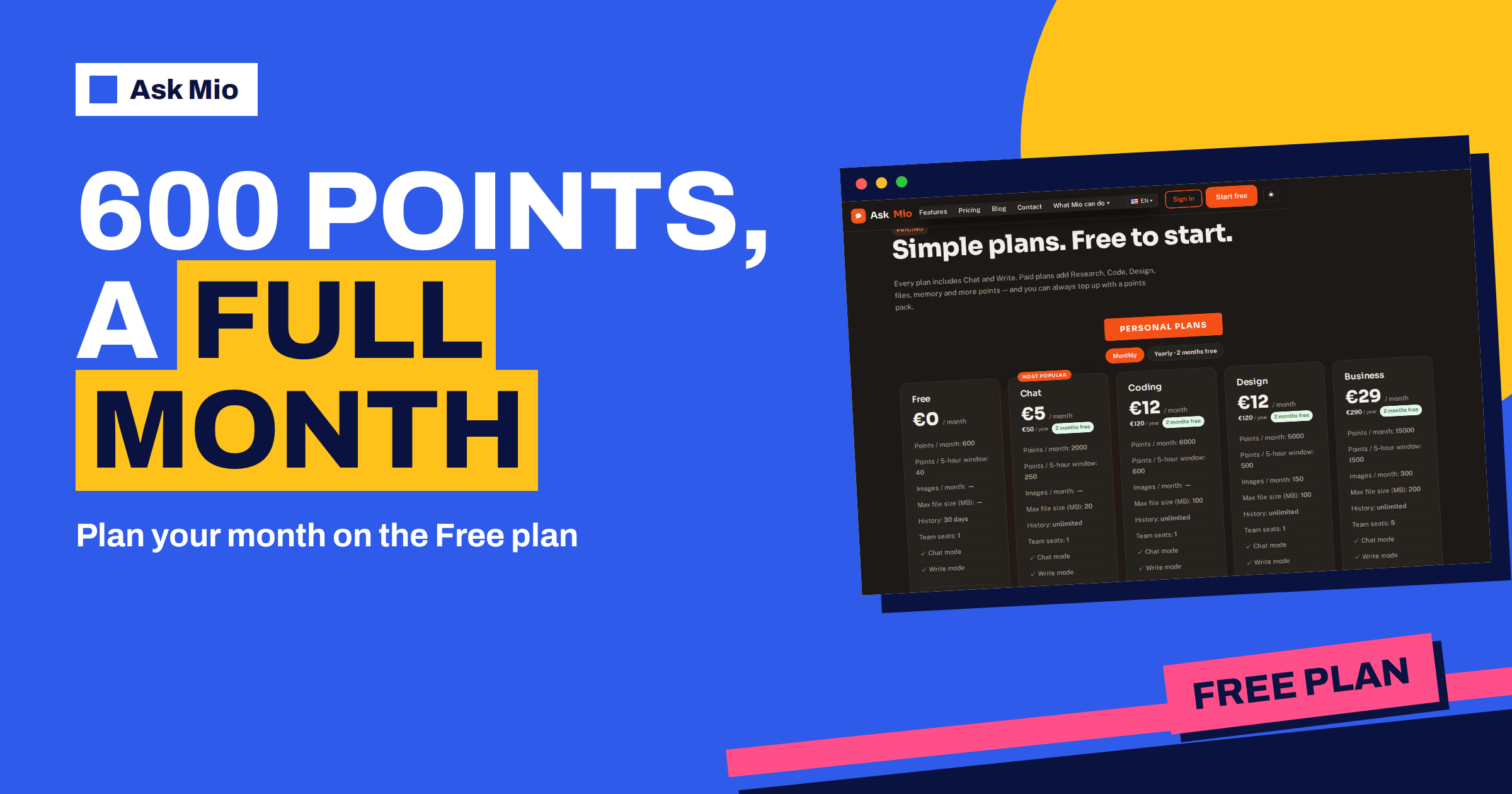
The Ask Mio free plan gives you 600 points a month, forever, with no card needed. That sounds simple until you ask the practical question: how far do 600 points actually go? This guide turns the allowance into a monthly budget. It explains how points are spent, what the 40-point window means, which tasks fit comfortably inside the free plan, and which ones are a sign that you have outgrown it.
All figures come from the live pricing page and the homepage. Where the guide gives an example, it is an illustration built from those figures, not a promise, because the cost of an answer depends on the model Mio picks for the task.
What the Ask Mio free plan includes
The Free plan costs €0 a month. It includes Chat mode and Write mode, 600 points a month, a 5-hour allowance of 40 points, one team seat and 30 days of history. It does not include Research with web search, file uploads, memory or image generation. The homepage adds that the first questions need no sign-up and no card, and that you can create a free account with e-mail, Google, Facebook or Apple. One Mio account also works in Talkmio, the live chat for websites from the same team.
Free is meant as a real plan, not a trial that expires. The pricing page answers the question directly: yes, there is a free plan, with Chat and Write modes and 600 points a month, forever. Paid plans add Research, Code, Design, files, memory and more points, from 5 € a month.
How points are spent
The pricing page explains that every answer costs points depending on the model Mio picks. A normal chat reply is 1 point. A long or complex reply is 3. A coding answer is 5 to 10, and a generated image is 20. You never choose the model yourself; Mio routes each request to a model that suits the task.
| Kind of request | Points per answer | Included in Free? |
|---|---|---|
| Normal chat reply | 1 | Yes |
| Write task such as an e-mail or short text | 1 on the homepage example | Yes |
| Long or complex reply | 3 | Yes |
| Coding answer | 5 to 10 | Code mode is a paid feature |
| Generated image | 20 | Design mode is a paid feature |
Because Free has no Code or Design mode, the realistic range is 1 to 3 points per answer. Our article on tokens vs points explains why Mio counts points rather than tokens.
The 40-point window
Two limits work together. The monthly amount, 600 points, is the total for your billing month. The 5-hour window, 40 points on Free, is a smaller allowance so that one heavy session cannot use up the month. If you reach 40 points in a window, you can wait for the window to reset and continue. You do not lose the rest of your monthly points.
A practical reading: in one working session you can spend up to 40 points, which is 40 normal replies or around 13 long ones. If you need more in one go, a points pack can help, since packs are not limited by the 5-hour window. Our guide to AI usage limits describes the idea in general terms.
A monthly budget on 600 points
Here is a way to plan the month. Divide 600 points into three buckets, and keep the last one as a reserve.
- Daily questions, about 300 points. Short everyday questions at 1 point each. That is roughly 10 a day over a month of 30 days.
- Writing and thinking, about 200 points. Longer tasks such as drafting an e-mail, planning a trip or explaining a topic, at 1 to 3 points each.
- Reserve, about 100 points. For the week when something unexpected comes up.
Spend the reserve at the end of the month if you have not needed it. The numbers are a guide, and the best budget is the one you check against your real usage after the first week.
A sample week on the free plan
To make the budget concrete, here is an illustrative week for a person who uses Mio for home and light work. The point values follow the pricing page: 1 for a normal reply and 3 for a long or complex one.
| Day | What you ask | Rough points |
|---|---|---|
| Monday | Five quick questions, one e-mail draft | 5 + 3 = 8 |
| Tuesday | Plan a three-day trip, with follow-ups | 3 + 3 + 2 = 8 |
| Wednesday | Explain a topic you are studying, with a quiz | 3 + 4 = 7 |
| Thursday | Translate and polish a short letter | 4 |
| Friday | A weekly menu and a shopping list | 3 + 2 = 5 |
| Weekend | A few casual questions | 6 |
That is about 38 points for the week, so roughly 150 points in a month of this kind of use, a quarter of the allowance. The example is deliberately modest. Heavier users will spend more, and the table is a template you can replace with your own days. The useful lesson is that careful, complete requests keep most days in single digits.
Tasks that fit comfortably inside Free
Many everyday jobs cost only a few points. Examples that suit the Free plan include:
- Explaining something. Ask for a topic to be explained step by step with an example. Our guide to the AI assistant modes shows what Chat and Write are for.
- Drafting short text. A polite e-mail, a message to a landlord, a short bio or a product line.
- Translating. Mio answers in your language, and the homepage says Write mode covers 25+ languages.
- Planning. A weekly menu, a packing list, a study timetable or a to-do list.
- Checking text. Ask for a grammar and clarity pass on something you wrote.
- Simple calculations. Ask for a percentage or a split, and check the working.
Each of these is usually one to three points. At that rate, 600 points is a large amount of everyday help.
Habits that make 600 points last
- Ask one clear question instead of five vague ones. A complete request avoids follow-ups, and every follow-up costs points.
- State the format. “Three bullet points” or “under 120 words” prevents long answers that cost more.
- Keep chats focused. A new topic deserves a new chat, so the model does not carry old context it does not need.
- Edit your request instead of repeating it. Add the missing detail rather than sending the whole thing again.
- Check your usage. Look at how many points your typical day takes, then adjust.
Signs you have outgrown the free plan
The free plan is a good place to begin, and it is easy to see when it stops being enough. Watch for these signals.
- You keep hitting the 40-point window in the middle of a task, and waiting breaks your flow.
- You paste the same background into every chat. Memory, a paid feature, would store it.
- You want to ask questions about a document. File uploads of PDF, DOCX and images are paid.
- You need web research with sources. Research with web search is a paid feature.
- You want code help or images. Code mode and Design mode are in paid plans.
- History matters. Free keeps 30 days, and paid plans keep it unlimited.
If one of these applies, you do not have to jump to the biggest plan. Chat costs €5 a month and adds files, research and memory, with 2000 points and a 250-point window. Our article on free AI plans compared shows how that compares with other free offers.
Free or Chat: a quick test
If you are unsure whether to stay on Free or move to the €5 Chat plan, answer these questions honestly.
- Did I hit the 40-point window more than twice last month?
- Did I wish Mio could read a PDF or a document I have?
- Did I repeat the same background information in several chats?
- Did I need an answer that cites web sources?
- Did I lose an old chat after 30 days?
Zero or one yes means Free is probably enough for now. Two or more yes answers suggest that Chat would save you time, and the cost of five euros a month is small compared with the minutes you spend working around the limits. A habit of checking this once a month is simple, like reviewing a household budget, and it keeps you from paying for more than you use.
Extra points without a subscription
You can also stay on Free and buy a points pack when you have a busy week. The pricing page lists three: 5 € for 700 points, 10 € for 1 600 and 25 € for 4 500. Packs work immediately, are not limited by the 5-hour window and stay valid for 30 days. The page lists “Buy extra points” as a feature of paid plans, so check the page for the current conditions before you plan around it. For a one-off job, a pack can be cheaper than a monthly plan.
Getting more from each point
A few prompting habits change how far the Ask Mio free plan stretches. Put the goal first: “Write a three-sentence reminder to a tenant about rent due on the first.” Then add constraints: tone, length and language. If the first answer is close but not right, say what to change instead of starting over: “Shorter, and more polite.” Each tweak is a normal reply, usually one point, while a fresh long request may cost more. When you plan something bigger, such as a trip, ask for an outline first, approve it, and then request the details you want. That keeps long and complex replies for the moments that truly need them.
Privacy on the free plan
Your chats and files are yours, they are not used to train models and you can export or delete them at any time, according to the pricing page. Ask Mio runs on its own servers. Free keeps 30 days of history, after which older chats are no longer kept, so copy anything important to your own notes.
Frequently Asked Questions
How many points does the free plan give?
The Free plan gives 600 points a month and 40 points per 5-hour window. It includes Chat and Write modes, one seat and 30 days of history, and it needs no card. The plan has no expiry, so you can keep using it as long as you like.
How many questions is 600 points?
A normal chat reply costs 1 point, so 600 points is up to 600 ordinary replies. A long or complex reply costs 3 points, so the same allowance covers about 200 of those. Your real number is a mix of both, and it depends on the model Mio picks.
What happens when I reach the 40-point window?
You can wait for the 5-hour window to reset and continue, and your monthly points are not lost. You can also buy an extra points pack, which works immediately and is not limited by the window. The packs are 5 € for 700 points, 10 € for 1 600 and 25 € for 4 500.
Can I use Research, Code or Design on the free plan?
No. Free includes Chat and Write modes. Research with web search, file uploads and memory come with paid plans, Code mode with Coding and Business, and Design mode with Design and Business. Chat is the cheapest paid plan, at €5 a month.
Does the free plan need a credit card?
No. The pricing page states that the free plan needs no card, and the homepage says the first questions need no sign-up at all. You can create a free account with e-mail, Google, Facebook or Apple when you want to keep your chats.
The Bottom Line
The Ask Mio free plan is a real monthly allowance of 600 points: enough for hundreds of everyday questions, short drafts and plans if you ask clearly and keep chats focused. Budget the month, keep a reserve, watch for the signs that you need files, memory, research or a bigger window, and upgrade only when a limit slows you down. See every figure on the Ask Mio pricing page and start for free. For background on the model behind it, read about freemium pricing.