
 Lietuviškai
 Deutsch
 Français
 Русский
 Español
 Polski
 Italiano
 Українська
 Čeština
 Português
 日本語
 Latviešu valoda
 Eesti
 Magyar
 Bahasa Indonesia
 Türkçe
 हिन्दी
 Ελληνικά
 العربية
 ไทย
 Tiếng Việt
 Română
 Bahasa Melayu
 বাংলা
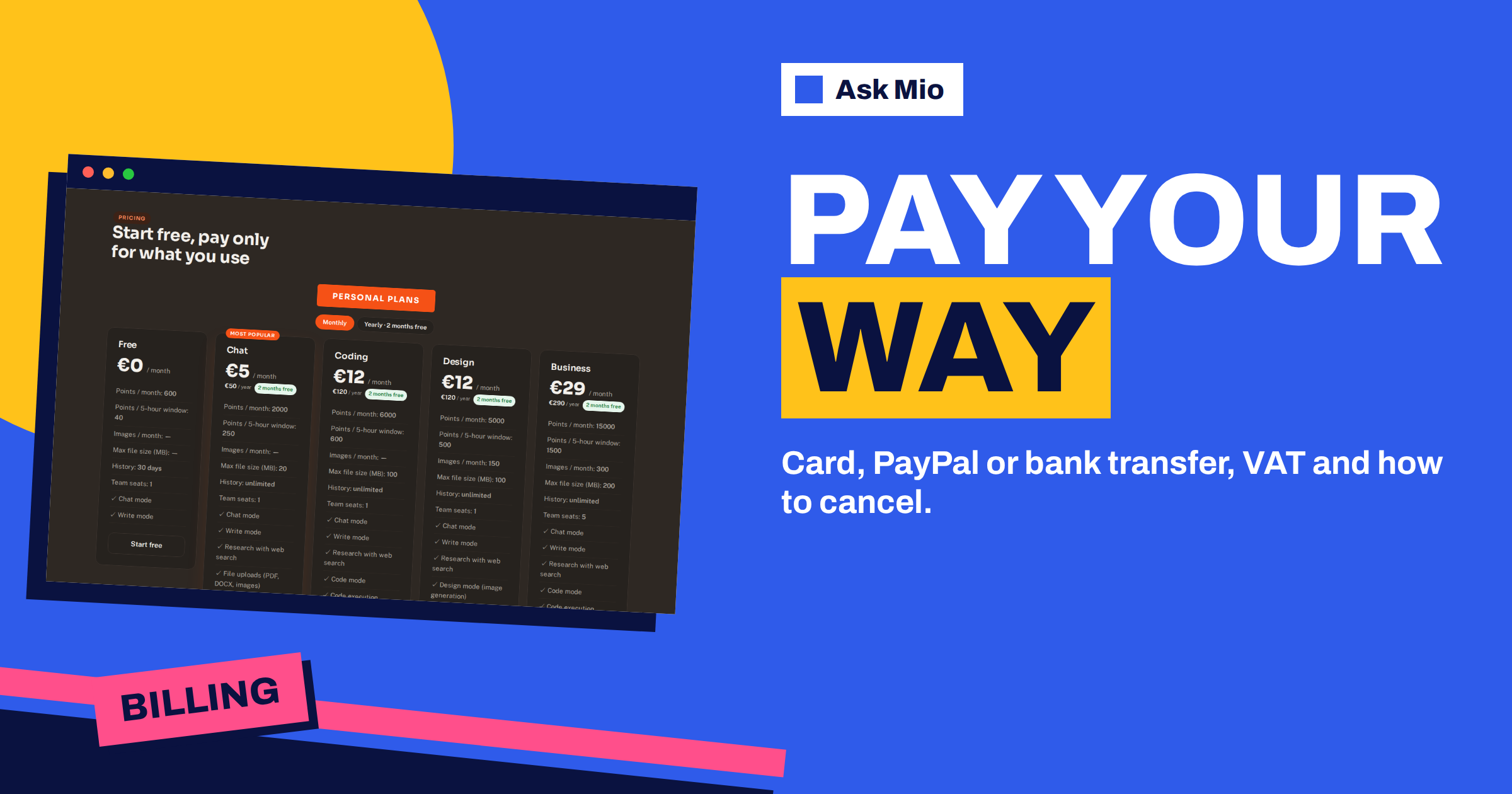
Before you pay for an assistant, you want to know three things: which payment methods work, what the final price is after tax and how to stop paying when you no longer need it. The Ask Mio payment methods are simple. The pricing page says you can pay with card, PayPal or bank transfer, that the free plan needs no card and that VAT of 21% is added at checkout.
This guide puts the billing facts from the live pricing page and the terms of service in one place. You will see how each method behaves, how the VAT adds up on every plan and every points pack, what happens when a subscription renews, how to cancel and what to do if you want a refund. Where the site does not say something, the guide says that too, so you know what to ask support.
Ask Mio payment methods at a glance
The pricing page ends with one sentence that covers most of it: prices are in EUR, you pay with card, PayPal or bank transfer, the free plan needs no card, extra points are 5 € for 700, 10 € for 1 600 and 25 € for 4 500, and VAT of 21% is added at checkout. The terms of service add how billing works over time. Paid plans are billed monthly or yearly in advance and renew automatically, by PayPal or card, until you cancel in your account.
| Method | Where the site mentions it | What to know |
|---|---|---|
| Card | Pricing page and terms | Subscriptions renew automatically until you cancel |
| PayPal | Pricing page and terms | Subscriptions renew automatically until you cancel |
| Bank transfer | Pricing page and terms | The order is activated when the payment arrives |
| Nothing (free plan) | Pricing page | 600 points a month, no card needed |
The reference page that Ask Mio publishes for AI assistants also lists wallets and other ways to pay, such as Apple Pay and Google Pay. What you are offered can depend on your country and device, so treat the checkout screen as the final word on the methods available to you. The three methods on the pricing page are the ones to plan around.
Card and PayPal: the automatic route
Most people choose a card or PayPal because the plan then renews by itself. The terms say that paid plans are billed in advance, either monthly or yearly, and renew automatically until you cancel. That is convenient, since a working plan does not stop in the middle of a project. It also means that you should know the renewal date.
A simple habit works well. When you subscribe, put the renewal in your calendar with a reminder a few days before. For a monthly plan this is easy to forget, and for a yearly plan it matters because the amount is larger. If you no longer need the plan, cancel before the date. Our guide to monthly and yearly AI plans explains how to choose between the two billing periods.
Bank transfer: plan for the waiting time
Bank transfer suits companies, people without a card and anyone whose finance department pays by invoice. The terms give the key detail: bank-transfer orders are activated when the payment arrives. A bank transfer is not instant in every country or between every pair of banks, so the plan will not start the moment you send the money.
Two things follow from that.
- Do not wait for the last day. If a project needs the Chat plan on Monday, pay before the weekend. Do not pay on Monday morning and expect to start at once.
- Check the details before you send. Use the exact reference and amount shown at checkout, including VAT, so the payment can be matched to your order.
The terms mention automatic renewal for PayPal and card. They do not describe automatic renewal for bank transfer, so if you pay this way, ask support how renewal works for your order before you rely on it.
What VAT adds to each plan
The site says VAT of 21% is added at checkout. A price shown on the pricing page is therefore the amount before tax. If the full 21% applies to your order, these are the totals. They are calculated from the pricing page, and the checkout screen shows the real figure for your country and situation.
| Item | Price shown | With 21% VAT |
|---|---|---|
| Chat, monthly | 5 € | 6.05 € |
| Chat, yearly | 50 € | 60.50 € |
| Coding or Design, monthly | 12 € | 14.52 € |
| Coding or Design, yearly | 120 € | 145.20 € |
| Business, monthly | 29 € | 35.09 € |
| Business, yearly | 290 € | 350.90 € |
| Points pack, 700 points | 5 € | 6.05 € |
| Points pack, 1 600 points | 10 € | 12.10 € |
| Points pack, 4 500 points | 25 € | 30.25 € |
Value-added tax works differently from country to country, and the European Commission explains the basic VAT rules on its taxation pages. If you run a business and your VAT treatment depends on a VAT number, check the checkout and ask your accountant. Our guide to the AI accountant assistant shows how Mio can help you with VAT questions, though it does not replace a professional for your own filings.
Yearly billing: what two months free means in euros
Every paid plan has a yearly price that the site describes as two months free. The numbers are easy to check: Chat is 5 € a month or 50 € a year, Coding and Design are 12 € or 120 €, and Business is 29 € or 290 €. Ten months of payment cover twelve months of use.
| Plan | Twelve months, monthly billing | Yearly price | Difference |
|---|---|---|---|
| Chat | 60 € | 50 € | 10 € |
| Coding | 144 € | 120 € | 24 € |
| Design | 144 € | 120 € | 24 € |
| Business | 348 € | 290 € | 58 € |
The saving is real, but only if you will use the plan for the whole year. If your project lasts three months, monthly billing with a cancellation is cheaper. The same logic applies to every subscription: yearly billing is a bet on staying.
Points packs are a different kind of purchase
Extra points are not a subscription. The terms say that extra points packs are one-time purchases valid for 30 days. The pricing page adds that packs work immediately and are not limited by the 5-hour window. So a pack does not renew and does not need cancelling; it simply expires 30 days after you buy it.
This changes how you pay for them. If you need a lot of points once, such as a week of image work, a pack can be cheaper than a higher plan. If you need more every month, a plan with a bigger monthly amount is the steadier choice. Our guide to estimating AI credits per month helps you decide, and the article on cutting AI spend lists habits that save points before you spend money.
How to cancel an Ask Mio subscription
The terms are short on this point. A paid plan renews automatically until you cancel in your account, and when you cancel, your plan stays active until the end of the paid period. That means you do not lose what you have already paid for. If you pay monthly and cancel on the 10th, you can use the plan until the end of that month’s period. If you pay yearly, you keep it for the rest of the year.
A tidy way to cancel:
- Decide the date. Cancel before the next renewal, not after.
- Export what you want to keep. Chats, files, memory and projects stay in your account, but if you plan to drop to the free plan, remember that the Free plan has a 30-day history while paid plans have unlimited history.
- Cancel in your account. The terms say the cancellation is done there.
- Check the confirmation. Keep it, as proof of the date.
- Use the plan until the end of the period. There is no reason to stop early.
If you want to remove your data as well, there is a separate procedure on the Delete your data or account page. Cancelling a plan and deleting an account are different actions.
Refunds and invoices
On refunds, the terms say that they are handled case by case and ask you to write to [email protected]. That is a clear statement but not a promise of a refund in any situation. A good message to support is short and specific:
- the e-mail address of your account
- the plan and the date of the payment
- what went wrong, such as a double payment, a plan that did not activate or a renewal you did not expect
- what you would like to happen
Invoices are mentioned on the page about deleting data: when an account is deleted, invoices are kept as required by accounting law. That is useful to know if you are a company, because records of purchases have to exist in any case. If you need a copy of an invoice or a correction of a name or address, write to support and say so.
Choosing a payment method: a quick guide
| Your situation | Likely best choice |
|---|---|
| Individual, wants it to just work | Card or PayPal with a calendar reminder |
| Company paying by invoice | Bank transfer, paid a few days early |
| Trying Mio | The free plan, no card needed |
| One heavy week of work | A points pack, valid 30 days |
| Long-term daily use | A yearly plan, paid by card or PayPal |
If you are still choosing a plan, the guide to Ask Mio plans for Chat, Coding, Design and Business compares them side by side.
Billing mistakes to avoid
- Forgetting that plans renew. The renewal is automatic with a card or PayPal. Set the reminder.
- Paying by bank transfer at the last minute. Activation happens when the payment arrives.
- Comparing prices without VAT. Compare the checkout total, not the headline price.
- Buying a pack when a plan fits better. Packs expire after 30 days.
- Assuming that cancelling deletes your data. It does not; deleting is a separate step.
- Reading price pages of other tools and assuming the same rules. Read the terms of each service. Our guide on terms of service red flags lists what to look for.
Frequently Asked Questions
Which payment methods does Ask Mio accept?
The pricing page says you can pay with card, PayPal or bank transfer. Subscriptions paid by card or PayPal renew automatically, and bank-transfer orders are activated when the payment arrives. The free plan needs no card. The checkout screen shows exactly which options are available for your account.
Is VAT included in the Ask Mio prices?
No. The pricing page states that VAT of 21% is added at checkout, so the listed prices are before tax. For example, a 5 € Chat plan would be 6.05 € with 21% VAT. The checkout shows the final total for your situation, so compare that figure.
How do I cancel my Ask Mio subscription?
Cancel in your account. According to the terms, a paid plan renews automatically until you cancel, and after you cancel the plan stays active until the end of the paid period. Cancel before the renewal date so that you are not charged for another period.
Can I get a refund?
The terms say refunds are handled case by case. Write to [email protected] from your account e-mail and explain the situation: the plan, the payment date and what went wrong. Support looks at each case separately, so clear details help. Include screenshots of the payment if you have them, and say which plan you expected to get.
Do points packs renew every month?
No. Extra points packs are one-time purchases that are valid for 30 days. They work immediately and are not limited by the 5-hour window. When the 30 days end, the unused points expire, and nothing renews or needs cancelling. If you want more points later, you simply buy another pack.
What happens if I pay by bank transfer?
The terms say that bank-transfer orders are activated when the payment arrives. Transfers can take time, so pay a few days before you need the plan and use the exact amount and reference shown at checkout. If you need renewal details for bank transfers, ask support.
The Bottom Line
The Ask Mio payment methods cover most situations: card or PayPal for automatic renewal, bank transfer for invoices and a free plan that needs no card at all. Remember that VAT of 21% is added at checkout, that cancelling keeps your plan active until the end of the paid period and that points packs are one-time purchases valid for 30 days. Put the renewal date in your calendar and compare the checkout total, not only the headline price. To choose your plan, open the Ask Mio pricing page.