
 Lietuviškai
 Deutsch
 Français
 Русский
 Español
 Polski
 Italiano
 Українська
 Čeština
 Português
 日本語
 Latviešu valoda
 Eesti
 Magyar
 Bahasa Indonesia
 Türkçe
 हिन्दी
 Ελληνικά
 العربية
 ไทย
 Tiếng Việt
 Română
 Bahasa Melayu
 বাংলা
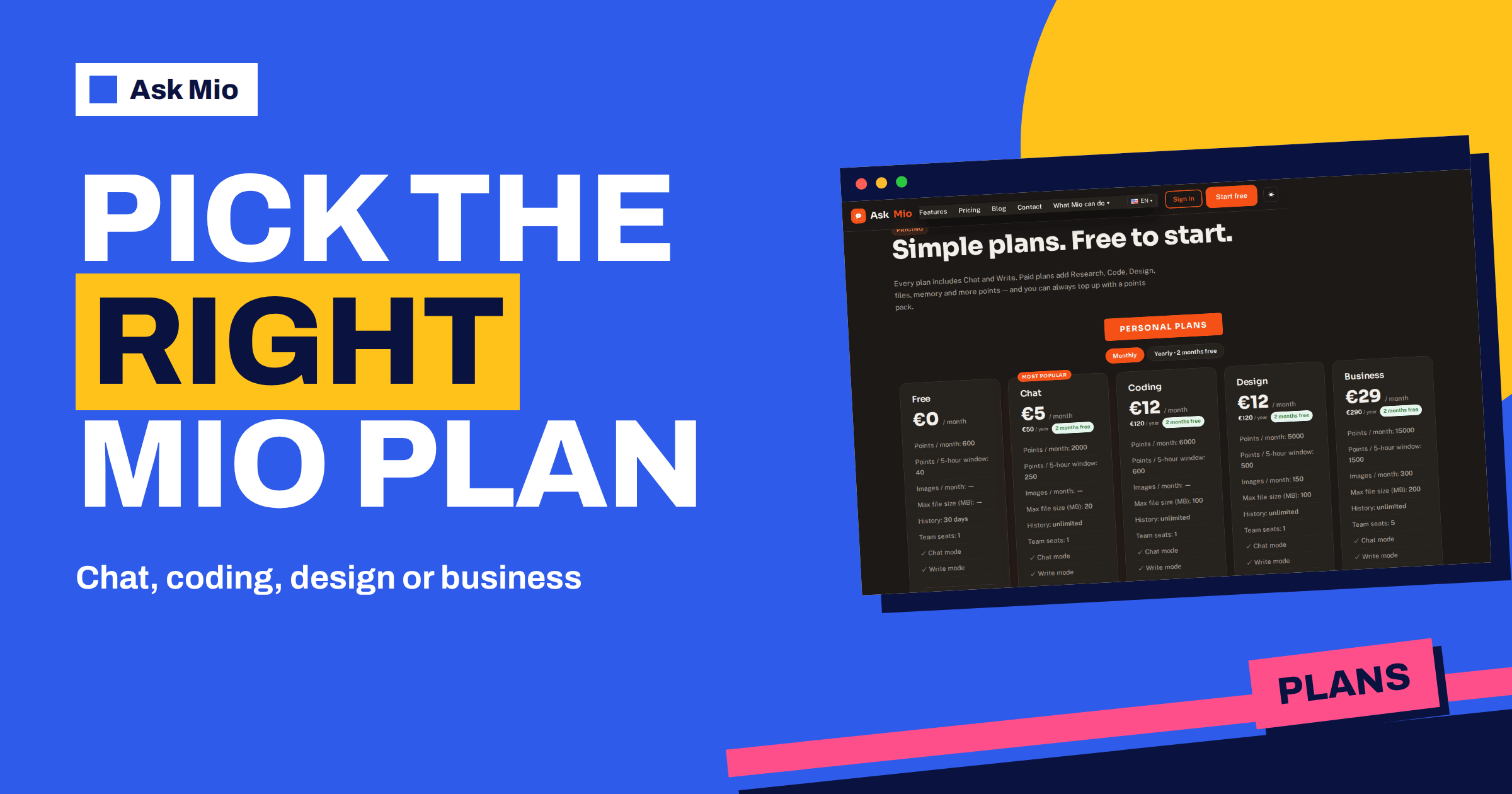
Ask Mio plans come in five steps: Free, Chat, Coding, Design and Business. The names tell you what each one adds, but the real question is which one matches the work you do in a normal week. This guide walks through every plan using only the numbers on the live pricing page, shows what each step adds over the one below it, and gives a simple way to choose without paying for features you will never open.
The short version: start on Free, because it needs no card, and move up only when a specific limit or missing feature slows you down. Below you will find the plans side by side, a decision path by type of work, a worked points example, and the traps people fall into when they pick a plan by price alone.
Ask Mio plans at a glance
Every plan includes Chat mode and Write mode. Paid plans add Research with web search, file uploads, memory and more points, and you can always buy an extra points pack. The table below copies the headline figures from the pricing page.
| Plan | Price per month | Points per month | Points per 5-hour window | Images per month | Max file size | Team seats |
|---|---|---|---|---|---|---|
| Free | €0 | 600 | 40 | none | none | 1 |
| Chat | €5 | 2000 | 250 | none | 20 MB | 1 |
| Coding | €12 | 6000 | 600 | none | 100 MB | 1 |
| Design | €12 | 5000 | 500 | 150 | 100 MB | 1 |
| Business | €29 | 15000 | 1500 | 300 | 200 MB | 5 |
Yearly billing gives two months free on every paid plan: €50 for Chat, €120 for Coding, €120 for Design and €290 for Business. Prices are in euros, VAT of 21% is added at checkout, and you can pay by card, PayPal or bank transfer. Our guide to yearly vs monthly AI plans explains when the annual deal pays off.
What a point is and why it decides your plan
Every answer costs points, and the number depends on the model Mio picks for the task. The pricing page gives the scale: a normal chat reply costs 1 point, a long or complex reply 3, a coding answer 5 to 10, and a generated image 20. You never choose the model yourself; Mio routes each request to the one that suits the job, and paid plans get the stronger models.
Two limits work together. The monthly amount is the total you can spend in a billing month. The 5-hour window is a smaller allowance that refills, so one heavy session cannot use up the whole month. If you hit the window, you can wait for it to reset. If you run out for the month, you can buy a pack: 5 € for 700 points, 10 € for 1 600 or 25 € for 4 500. Packs work immediately, ignore the 5-hour window and stay valid for 30 days. For a deeper look at how points differ from tokens, read tokens vs points.
Free: the plan for finding out if Mio fits
Free gives 600 points a month, 40 points per 5-hour window, Chat and Write modes, one seat and 30 days of history. It needs no card. The homepage even says the first questions need no sign-up at all. Free is the right place to test whether Mio answers in your language, handles your type of question and fits your habits.
Free is not the right place for work that depends on files, memory or web research, because those are paid features. If you notice that you keep pasting the same background into every chat, or you want to ask questions about a PDF, you have found the first reason to upgrade. Our article on free AI plans compared puts the allowance in context.
Chat at €5: files, research and memory
Chat is the first paid step. It raises the monthly amount to 2000 points and the window to 250, and it adds the things that change daily use: Research with web search, file uploads for PDF, DOCX and images up to 20 MB, memory, and unlimited history. You can say “remember that” and Mio keeps it, and you can see and control what it keeps.
Choose Chat if your work is mostly reading, writing and asking questions. A person who answers customer emails, drafts documents, summarises PDFs and researches suppliers will rarely need more. At 1 point for a normal reply, 2000 points is a lot of ordinary conversation. Chat does not include Code mode, Design mode or the execution sandbox, so it is not the plan for people who write software or make images every day.
Coding at €12: Code mode and the sandbox
Coding adds Code mode and the code execution sandbox to everything in Chat, raises the monthly amount to 6000 points and the window to 600, and lifts the file limit to 100 MB. It also lists connectors with write actions. Code answers cost more points, 5 to 10 each, so the larger allowance matters for people who debug all day.
Choose Coding if you paste stack traces, refactor modules, review code or want Mio to run Python or Node in a sandbox to check a calculation. If you only ask a coding question now and then, Chat may be enough. The page on Ask Mio’s modes explains how a request is routed once you pick Code.
Design at €12: images in the plan
Design adds Design mode, which generates images from a description, and gives 150 images a month with 5000 points and a window of 500. An image costs 20 points, so 150 images use 3000 points and leave 2000 for everything else. File size goes up to 100 MB, and connectors with write actions are included, like Coding.
Choose Design if you make banners, social posts, featured images or illustrations as part of your work. It does not include Code mode or the sandbox. If you need both, look at Business.
Business at €29: everything, and five seats
Business combines the other plans and then adds team features. It includes Chat, Write, Research, Code mode, the sandbox, Design mode, file uploads up to 200 MB, memory, web search and connectors with write actions. On top of that it gives 15000 points a month, a 1500-point window, 300 images a month and 5 team seats, plus team and shared projects, API access and auto-refill points.
Business is the right choice for a small team that wants one account structure, or for one person whose work genuinely spans code, images and heavy writing. A solo user who needs Code and Design both would pay €24 for the two separate plans, which is close to the price of Business, so compare what you would actually use. The article on the AI team workspace shows how shared projects work in practice.
How the plans fit a team, a student and a freelancer
The same Ask Mio plans suit very different people. A student who wants study help and short summaries can live on Free, then use Chat during exam weeks for PDF uploads. A freelancer who writes proposals, researches clients and answers email will usually land on Chat. A small agency that wants a shared place for briefs, drafts and images has a clear case for Business, because team and shared projects exist only there. In each case the choice follows the work, not the job title, and it can change from month to month.
A decision path by type of work
Use this list as a quick filter. Start at the top and stop at the first line that describes you.
- You are not sure Mio fits: Free.
- You read, write, research and work with documents: Chat.
- You write or debug code every week: Coding.
- You create images every week: Design.
- You need code and images, or several people need access: Business.
The line “every week” matters. A need that appears once a month is often cheaper to solve with an extra points pack than with a higher plan, because packs have no subscription and last 30 days.
A worked example of one month
Suppose a freelancer on the Chat plan has 2000 points. In a month they send 300 normal replies at 1 point, 60 long answers at 3 points and 20 research requests that they assume cost 3 each. That is 300 + 180 + 60 = 540 points, about a quarter of the allowance. The numbers are an illustration, not a promise, since the real cost depends on the model Mio picks, but they show that a light-to-medium user is unlikely to run out.
Now take a developer on the Coding plan with 6000 points who sends 400 coding answers at an average of 8 points. That is 3200 points, plus some chat. The extra headroom over Chat’s 2000 points is the point of the plan. If the same developer used Chat, the monthly amount would run out well before the end of the month and the 250-point window would limit a long session.
Common mistakes when choosing a plan
- Choosing by price alone. A plan that lacks the feature you need costs more in time than the difference in price.
- Ignoring the 5-hour window. A big monthly amount does not help if one long session needs more than the window allows. Compare the window with your longest working session.
- Buying Business for one person out of habit. Five seats are only valuable if you use them.
- Forgetting file limits. If you work with large PDFs or archives, check 20, 100 and 200 MB before you pay.
- Never trying Free first. It costs nothing, and it shows how many points your normal week really uses.
Changing plans later
Nothing locks you in. Plans are monthly, with a yearly option that gives two months free, so you can move up when a limit bites and later move down if a project ends. Your chats and files are yours, they are not used to train models and you can export or delete them at any time. Ask Mio runs on its own servers.
Frequently Asked Questions
Which Ask Mio plan should I start with?
Start with Free. It includes Chat and Write modes, 600 points a month and no card requirement, so you can test your real tasks at no cost. Move to Chat when you need file uploads, web research or memory, and move further only when a specific limit or mode is missing.
What is the difference between Chat, Coding and Design?
All three include Chat and Write modes, Research with web search, file uploads and memory. Coding adds Code mode and the execution sandbox with 6000 points. Design adds Design mode with 150 images a month and 5000 points. Chat has neither mode but costs only €5 and gives 2000 points.
Can I pay yearly?
Yes. Every paid plan has a yearly price that gives two months free: €50 for Chat, €120 for Coding and Design, and €290 for Business. Prices are in euros, VAT of 21% is added at checkout, and you can pay by card, PayPal or bank transfer.
What happens when I run out of points?
You can wait for the 5-hour window to reset, or buy an extra pack: 5 € gives 700 points, 10 € gives 1 600 and 25 € gives 4 500. Packs work immediately, are not limited by the 5-hour window and stay valid for 30 days.
Is Business only for companies?
No. Business is the plan with 5 team seats, shared projects, API access and auto-refill points, so it suits small teams, but one person can also use it when their work needs Code mode, Design mode and the largest allowance together. Compare the price with what you would actually use.
The Bottom Line
Pick the plan by the work you do every week: Free to test, Chat for documents and research, Coding for developers, Design for images and Business for teams or mixed workloads. Check the points, the window, the file size and the modes against your own week, and use packs for occasional peaks. See every figure on the Ask Mio pricing page and start on the free plan. If you are new to money terms, the freemium model and value-added tax are explained in plain words on Wikipedia.