
 Lietuviškai
 Deutsch
 Français
 Русский
 Español
 Polski
 Italiano
 Українська
 Čeština
 Português
 日本語
 Latviešu valoda
 Eesti
 Magyar
 Bahasa Indonesia
 Türkçe
 हिन्दी
 Ελληνικά
 العربية
 ไทย
 Tiếng Việt
 Română
 Bahasa Melayu
 বাংলা
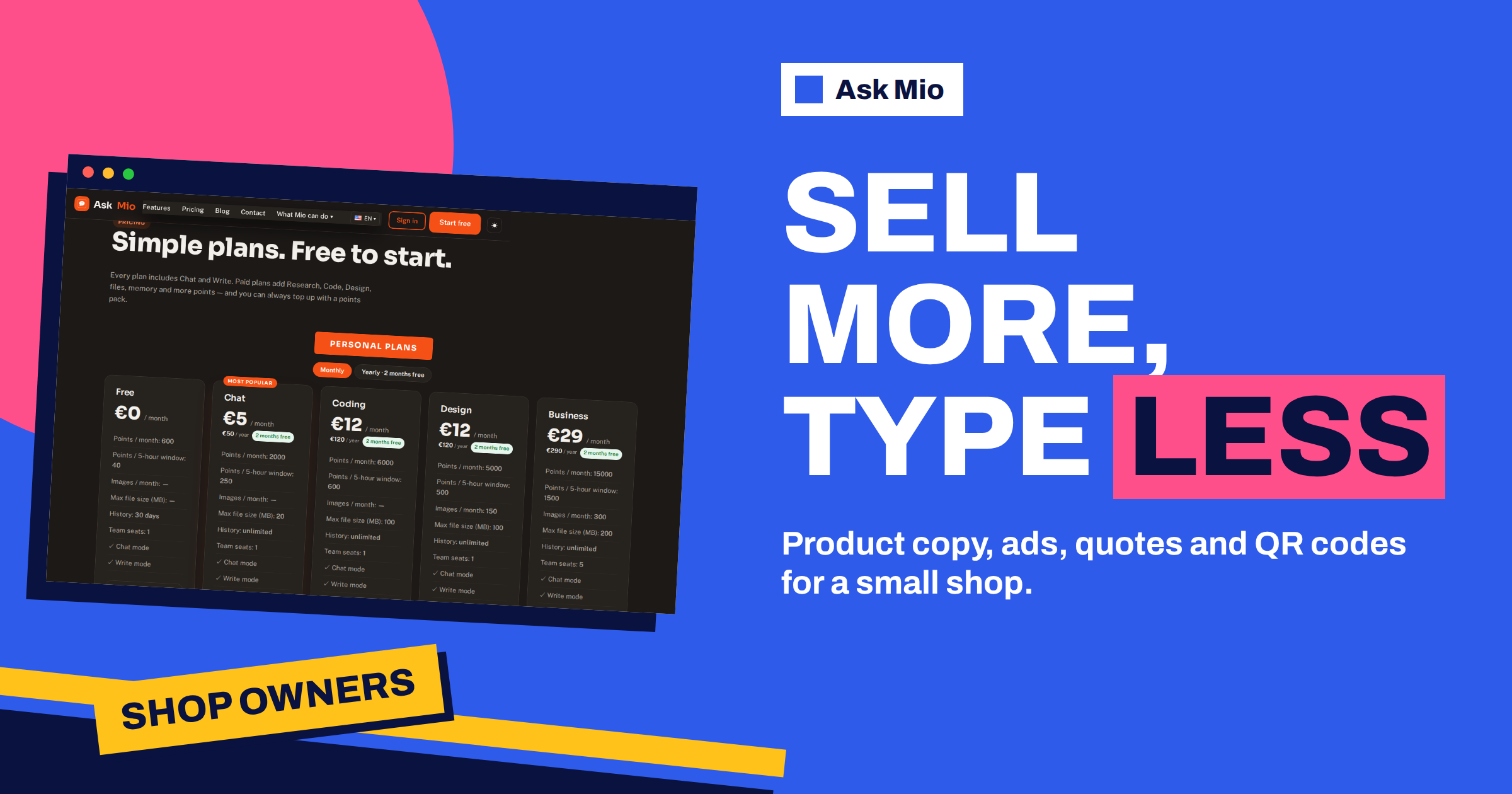
Ask Mio for shop owners is about the dull part of running a small shop: the hundred small texts and files that sit between you and a sale. Product descriptions, ad headlines, social posts, a counter sign with a QR code, a polite answer to a customer who is unhappy, a quote for a big order. None of it is hard, all of it takes time, and a small shop usually has one person to do it.
This guide builds a weekly routine from the features that are listed on the live Ask Mio pages. You will see which ready-made job or expert fits each task, what to give Mio so the result is useful, which plan covers which part and where you must stay in charge. It is written for owners of small online and physical shops, from a handmade-goods seller to a local retailer.
Ask Mio for shop owners: a weekly routine
A routine works better than a heap of good intentions. Here is one way to spread the work across the week, with the Ask Mio feature for each part.
| Day | Task | Ask Mio feature |
|---|---|---|
| Monday | Write or refresh product listings | Ready-made job: Product descriptions |
| Tuesday | Prepare ads for the week | Ready-made job: Ads (Google / Meta) |
| Wednesday | Plan and write social posts | Ready-made job: Social media pack |
| Thursday | Answer customers and reviews | Ready-made job: E-mail reply; expert: Customer support agent |
| Friday | Prices, quotes and numbers | Ready-made job: Quote / invoice draft; expert: Accountant |
| Any day | Signs, flyers and QR codes | Tool: QR code; job: Flyer / one-pager (PDF) |
You do not need to do all of it. Pick the two tasks that cost you the most time and start there.
Product descriptions that sell and rank
The Product descriptions job creates shop-ready descriptions with benefits, specs and an SEO title. A good product description is not a list of adjectives. It answers the questions a customer would ask if they could hold the product.
Give Mio the facts first. A useful input has:
- What it is, in plain words.
- Size, weight, material, colour, capacity and anything else measurable.
- Who it is for, and the situation it solves.
- What makes it different, honestly.
- Care, delivery and returns notes if you want them in the text.
- The words customers use when they search, such as “linen tablecloth 180 cm”.
Mio will not know your product, so do not ask it to guess the specs. If a fact is missing, say “do not mention the weight”. Check every number before you publish. A wrong size creates a return, and a return costs more than a day of writing.
Once you have one good description, you can ask for variations: a shorter version for a marketplace, a longer one for your own site, a version for a newsletter. Our guides to AI product descriptions and to AI for Etsy sellers show examples for different kinds of products. If you sell in several countries, the Translate a document job translates text while keeping formatting, names and numbers.
Ads that fit the limits
Ads have strict space: a headline of a few words, a short description, no room for waffle. The Ads job creates ad headlines and descriptions that fit the platform limits for Google and Meta. Give it the product, the offer, the audience and one reason to click.
A good ad brief fits on four lines:
- Offer: “Free delivery on orders over 40 € until Sunday”
- Audience: “People searching for handmade candles as gifts”
- Proof: “Hand-poured in small batches”
- Action: “Order by Friday for delivery before the weekend”
Ask for ten headlines, then pick two or three and test them. Do not state anything in an ad that you cannot support: a discount must exist, a delivery date must be realistic. Our guide to the AI ad copy generator goes deeper into headlines and descriptions.
Social posts from one idea
A small shop that posts on four networks needs a way to avoid writing everything four times. The Social media pack job creates posts for Facebook, LinkedIn, X and Instagram from one idea. You give the idea, such as a new product, a sale or a customer story, and Mio writes a post for each network in the style that network uses.
Use a simple structure for each idea: one clear message, one picture, one action. If you want a plan for the whole month, the Social media manager expert builds content calendars and posts per platform. Our guide to AI social media captions lists caption formulas, and the AI content calendar guide shows how to plan a month in an hour.
Pictures: banners, posters and product visuals
For visuals there are two routes. The first is Design mode, listed on the Design and Business plans, which creates logos, banners, social posts and illustrations from a sentence. The Image / poster job generates a featured image, poster, banner or illustration. A generated image costs 20 points, and the Design plan includes 150 images a month, so a small shop that posts three times a week uses only a small part of that.
The second route is the Photo & image director expert, which creates shot lists and prompts. It is useful when you take product photos yourself: ask for a list of the shots a product page needs, with angles, backgrounds and props.
Be careful with product pictures. A generated image of a product you sell can mislead if it shows features the real product does not have. Use generated images for banners, backgrounds and mood, and use real photos for the product itself. Our guides to AI product photos and to consistent AI images in a brand style explain how to keep a shop’s look steady.
QR codes and printed signs
The QR code tool creates a QR code image for a link, text, Wi-Fi or contact. For a shop this is a small superpower. Examples:
- At the counter: a code that opens your online shop or your latest offer.
- For guests: a Wi-Fi code that saves typing the password.
- On packaging: a code that opens a care guide or a thank-you page.
- On a business card: a contact code that saves your details to a phone.
The Flyer / one-pager job produces a designed A4 PDF, such as an offer, a product sheet or an event flyer. Combine the two: a flyer with a QR code to the offer page. Our guide to AI QR code generators shows how to use them well, including testing the code before you print.
Customers: messages, complaints and reviews
Customer messages arrive when you are busiest. The E-mail reply job gives a polite, ready-to-send answer in the right tone. The Customer support agent expert replies to customers with the right tone and solution. For both, give Mio the facts: the order, the policy, what you can offer.
For reviews, the principle is to respond quickly, calmly and with specifics. Thank people for good reviews in a way that is not copy-paste, and for bad reviews, apologise for the experience, state what you will do and take the details to a private channel. Our guide to responding to reviews with AI provides templates, and the one on the AI complaint letter helps when you are the one writing to a supplier.
Never let an assistant promise something you do not offer. A reply that says “we will refund you” creates an obligation. Read each draft, and send it yourself; Mio can prepare an e-mail to one recipient, and letters to anyone else always wait for your confirmation.
Prices, quotes and numbers
For a big order or a business customer, the Quote / invoice draft job creates a PDF with positions and totals. The Spreadsheet / table job creates an .xlsx file for a price list, a comparison or a tracker. The Accountant expert covers bookkeeping, VAT, invoices and simple financial models.
If you buy from abroad, Currency rates converts money with official ECB rates, today or on a past date. Public holidays gives the holidays of a country for a year, which helps you plan deadlines and shipping around days when couriers do not work. Our guides to the AI invoice and quote generator and to AI for e-commerce teams show how to structure numbers. Confirm VAT and legal details with your accountant; Mio is a first draft, not a tax adviser.
Check your own product page
The Page & SEO audit tool checks a web page: title, meta description, Open Graph tags, headings, word count, images without alt text, robots and canonical. Paste the address of a product page, and Mio lists what is missing or weak. For a shop, the usual findings are a title that does not say what the product is, a missing description and photos without alt text. Fix them, and the page works harder for the same traffic. Our guide to the AI SEO audit tool explains how to read the results.
A worked example: a small ceramics shop
Lina sells handmade mugs and bowls online and at a weekend market. On Monday she gives Mio the size, glaze and care notes for six new mugs and gets six descriptions with SEO titles, which she checks against the real mugs. On Tuesday she asks for ten ad headlines for a “free delivery over 40 €” offer and picks two. On Wednesday she writes one idea, “new mugs in blue”, and gets posts for four networks. She uses Design mode for a banner and her own photos for the products.
On Thursday a customer writes that a bowl arrived chipped. She asks the Customer support agent for a reply that apologises, offers a replacement and asks for a photo. On Friday she makes a QR code for the market stall that opens her shop, and prints it on a small flyer. The whole routine takes about three hours a week, where it used to take most of Sunday.
Which plan suits a shop owner
| Your need | Plan |
|---|---|
| Texts only: descriptions, ads, posts, replies | Free, 600 points a month, Chat and Write |
| Uploading price lists, using memory and Research | Chat, 5 € a month |
| Banners and generated images | Design, 12 € a month, 150 images |
| A partner or employee sharing projects | Business, 29 € a month, 5 seats |
Features such as uploads, memory and Design mode are tied to plans on the pricing page, so check there before you rely on a particular job. Our guide to the Ask Mio plans compares them.
Mistakes to avoid
- Letting Mio invent product facts. Give real specs, and check the result.
- Publishing without reading. Every text is a draft.
- Using generated pictures to show the real product. Use real photos.
- Making promises in a reply. Refunds and discounts are your decision.
- Pasting customer data carelessly. Remove names and addresses when you do not need them.
- Forgetting consistency. Save your best product description as the model for the next ones.
Frequently Asked Questions
Can Ask Mio write product descriptions for my shop?
Yes. The Product descriptions job creates shop-ready descriptions with benefits, specs and an SEO title. Give it real facts about the product, such as size, material and who it is for, and check the numbers before you publish. Mio does not know your products unless you tell it.
Can Ask Mio write ads for Google and Meta?
Yes. The Ads job creates ad headlines and descriptions that fit the limits of Google and Meta. Provide the offer, the audience and one clear reason to click, then test a few versions. Only claim what you can deliver, such as real discounts and realistic delivery dates.
Can I make a QR code for my shop?
Yes. The QR code tool creates a QR code image for a link, text, Wi-Fi or contact details. Use it for your online shop, a special offer or guest Wi-Fi, and test the printed code with a phone before you display it. It works well with the flyer job.
Do I need a paid plan to run my shop with Ask Mio?
Not always. The Free plan has Chat and Write with 600 points a month and needs no card, which is enough for descriptions, posts and replies at small volume. Uploads, memory and Research start on the 5 € Chat plan, and banners need the Design plan.
Can Mio reply to my customers automatically?
Mio drafts replies, but you review them. The E-mail reply job and the Customer support agent expert write answers in the right tone. Mio can prepare an e-mail to one recipient, and letters to anyone else wait for your confirmation, so you stay in control.
Can Ask Mio check my product pages for SEO?
Yes. The Page & SEO audit tool checks a page’s title, meta description, Open Graph tags, headings, word count, images without alt text, robots and canonical settings. Use it on your main product pages and fix the gaps it finds.
The Bottom Line
Ask Mio for shop owners works best as a weekly routine: product descriptions on Monday, ads on Tuesday, a social pack on Wednesday, customer replies on Thursday and quotes and numbers on Friday, with QR codes and flyers whenever you need them. Give Mio real facts, read every draft and keep promises and prices in your own hands. Start with the free plan, add Chat for uploads and memory or Design for banners when you need them, and compare the options on the Ask Mio pricing page.