
 Lietuviškai
 Deutsch
 Français
 Русский
 Español
 Polski
 Italiano
 Українська
 Čeština
 Português
 日本語
 Latviešu valoda
 Eesti
 Magyar
 Bahasa Indonesia
 Türkçe
 हिन्दी
 Ελληνικά
 العربية
 ไทย
 Tiếng Việt
 Română
 Bahasa Melayu
 বাংলা
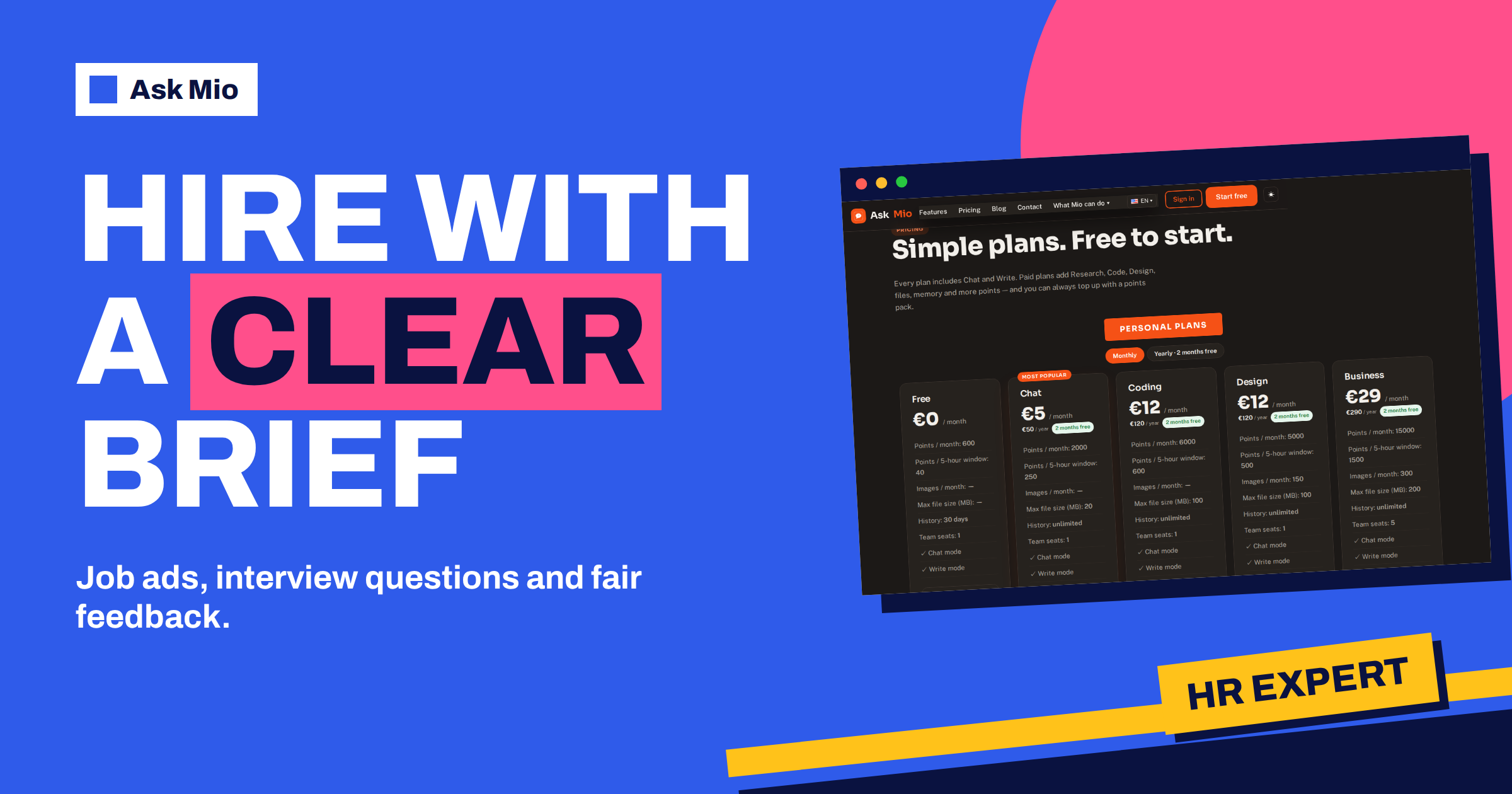
An AI HR and recruiting expert helps with the writing and planning side of hiring: the job ad, the interview questions, the scorecard and the feedback to candidates. In Ask Mio the HR & recruiting expert is described on the features page as covering “job ads, interview questions and feedback”. This guide shows how to use it through a whole hiring round, and where people, not software, must make the decisions.
AI HR recruiting help of this kind is written for small teams and for managers who hire a few times a year, people who have no recruiter to lean on and who still want a fair, tidy process. If you run a large recruiting operation with its own system, the same prompts still work for drafts, but your process and your legal rules come first.
AI HR and recruiting expert: where it fits in a hiring round
A hiring round has predictable stages. Each one has a writing task that an assistant can speed up and a decision that it must not take over.
| Stage | Writing task for Mio | Decision that stays human |
|---|---|---|
| Define the role | Turn rough notes into a role profile | What the job really needs |
| Advertise | Draft the job ad | Salary range and where to post |
| Screen | Draft a screening checklist | Who is invited |
| Interview | Draft structured questions and a scorecard | How to rate each answer |
| Decide | Summarise notes against the scorecard | Who gets the offer |
| Respond | Draft offers and polite rejections | What is promised |
A first rule helps you stay safe: use Mio for drafts, structure and consistency, and keep every hire or reject decision with a person who has met the candidate. Our guides to the AI job description generator and AI for recruiters go into more detail on single steps.
Start with a role profile, not an ad
Most weak job ads come from an unclear role. Before you write anything public, ask Mio to build a one-page role profile from your notes. Paste what you have, even if it is messy, and ask for these sections:
- Purpose. Why the job exists, in one sentence.
- Outcomes. What a good first year looks like, in three or four results.
- Must-haves. Skills without which the person cannot do the job.
- Nice-to-haves. Useful but trainable.
- Working conditions. Location, hours, travel, team size.
Then ask the expert to challenge you: “Which requirements in this list are really preferences? Which are likely to exclude good candidates without helping the job?” A long wish-list of must-haves, such as ten years of experience in a ten-year-old tool, shrinks the pool. A good job description names the work and the results, not a long list of credentials.
Write the job ad people want to answer
With the profile ready, ask the HR & recruiting expert for an ad. Give it the audience, the tone of your company and the details you can confirm: location, working pattern, salary range if you publish one, and how to apply.
A strong ad is short and concrete:
- A title people actually search for. “Warehouse team lead” beats a made-up internal label.
- Two sentences about the company and what the team does.
- What you will do, as five or six bullet points with verbs.
- What you need, split into must-have and nice-to-have.
- What you offer, including pay if you can state it.
- How to apply, with a clear next step.
Ask for two versions with different tones and compare them. Remove clichés such as “dynamic” or “rockstar”. Ask Mio to check the ad for wording that might put off certain groups without a job-related reason, such as gendered terms or unnecessary age cues, and then decide what to change. Check any statement about pay, benefits or remote work against what you can actually offer; an ad is a promise.
If the ad must appear in several languages, the Translate a document job translates text and keeps formatting, and Ask Mio works in 25 languages. Have a native speaker read any ad that goes public.
Screen with a checklist, not a feeling
Before applications arrive, agree how you will read them. Ask Mio for a screening checklist based on the must-haves: five or six yes-or-no questions that you apply to every application in the same way. This reduces the risk that the first glance, the name or the photo steers a decision.
You can also ask for neutral questions to send to candidates by e-mail, such as availability, notice period and a short, job-related task. Keep the checklist in a file with the date, so that you can explain later why someone was or was not invited.
A note on automation: do not use any assistant to rank or reject candidates automatically. Many jurisdictions treat automated decisions about people as high-risk. Our explainers on AI and automated decisions under the GDPR and the EU AI Act describe why, and the sensible approach is to use Mio for drafts and summaries while a person decides.
Whatever you draft, keep a simple record: the version of the ad that was posted, the checklist you applied and the scorecard each interviewer used. If a candidate asks a question months later, or if you hire again for the same role, that record is the fastest way to stay consistent. Mio can also turn the record into a template for the next round, so that every hire starts a little better than the last.
Prepare structured interviews
A structured interview asks every candidate the same job-related questions and rates the answers against the same scale. It is more consistent than a free chat, and it is easier to defend. The HR & recruiting expert is good at preparing one.
Ask for:
- Six to eight questions linked to the must-haves, mixing “Tell me about a time when…” questions with realistic scenarios.
- Follow-up probes for each question, such as “What was your part?” and “What would you do differently?”
- A scorecard with a one-to-five scale and a short description of what a weak, average and strong answer looks like.
- A list of questions to avoid, such as family plans, health, age or origin, adapted to your country’s rules.
Our guide to AI interview questions gives example prompts. Print the scorecard and give it to every interviewer, so that each person rates before the group discusses. Discussing first makes people follow the loudest voice.
Turn interview notes into comparable summaries
After the interviews, you have notes in different styles. The Meeting notes job turns raw notes or a transcript into decisions, tasks and a follow-up e-mail. For hiring, adapt the request: “Summarise these notes against the scorecard, one line per criterion, with evidence quoted from the notes and a marker where evidence is missing.”
This gives you comparable summaries without letting a smooth narrative hide a weak answer. Check the summaries against your own memory, and read the notes yourself before the final meeting. Recording an interview needs the candidate’s clear consent in most places; see our guide on meeting recording consent.
Keep candidate data to what you need. Ask Mio states that chats and files are not used to train AI models, and that you can export or delete them. Even so, avoid pasting sensitive personal details, and delete chats when the round ends.
Write offers and rejections with care
Candidates remember how they were treated. Ask the expert for a short, polite rejection that is honest and specific about the stage, without false hope or invented reasons. A useful pattern is: thank them, say the decision, give one useful, true piece of feedback if you have it and invite them to apply again only if you mean it. Our guide to AI rejection letters shows more examples.
For offers, Mio can draft the e-mail with the role, start date, pay and conditions. Check every figure against your internal approval, and have an adviser look at the contract itself. The Negotiation advisor expert can prepare you for a salary conversation if the candidate counters.
A worked example: a three-person design studio hires
A studio needs a junior designer. The founder pastes her notes into the HR & recruiting expert and asks for a role profile. After the challenge step she removes “five years of experience” and replaces it with a portfolio requirement. Mio drafts two versions of the ad, and she picks the shorter one, adds the salary range and posts it.
Twenty-eight applications arrive. She applies the five-question checklist to each, one at a time, and invites six people. For the interviews she asks for seven questions with probes and a scorecard, prints three copies and asks her two colleagues to rate privately. After each call she pastes her notes and asks for a summary against the scorecard.
The summaries show that two finalists are close. A paid, job-related design task settles it. Mio drafts the offer e-mail and a kind rejection for the others. She checks the numbers and sends everything herself.
The round still takes weeks, but the writing and the structure take hours instead of days, and every candidate got the same questions.
Which plan suits hiring
| If you mostly… | Consider |
|---|---|
| Draft an ad and a few questions now and then | The free plan, 600 points a month, Chat and Write |
| Upload CVs and documents to read with Mio | Chat, 5 euros a month, files up to 20 MB |
| Share hiring projects with colleagues | Business, 29 euros a month, 5 seats, shared projects |
File uploads start on the Chat plan, and team and shared projects are listed on the Business plan. A normal reply costs about 1 point and a long or complex one 3, so a full hiring round fits comfortably within a monthly allowance. Our guide to the Ask Mio Business plan explains how a team of five can share projects.
Frequently Asked Questions
Can Ask Mio write a job ad for me?
Yes. The HR & recruiting expert writes job ads, and the Website page copy and SEO article jobs can help with a careers page. Give it the role profile, the tone and the facts you can confirm, then check every statement about pay, benefits and location before posting.
Can it choose the best candidate?
It should not. Mio can prepare a checklist, structured questions and summaries against your scorecard, but the hiring decision should stay with people who have met the candidates. Automated decisions about people are sensitive under rules such as the GDPR, so keep a human in charge.
Does it write interview questions?
Yes. The expert writes interview questions and feedback, and it can add follow-up probes and a scoring scale. Ask for job-related questions only, and for a list of topics to avoid in your country. Use the same questions for every candidate so that answers are comparable.
Is it safe to paste CVs into Mio?
Ask Mio says chats and files are not used to train models and you can export or delete them. A CV still contains personal data, so paste only what you need, follow your privacy notice for applicants and delete the chat when the round is over. Candidates should know how their data is handled.
Can it help with rejection e-mails?
Yes, and it is a good use. Ask for a short, polite message that names the stage, avoids invented reasons and stays truthful. Add one specific, helpful point if you have it. Read the draft, adjust the tone to your company and send it yourself.
Which plan do I need for hiring?
The free plan is enough to draft an ad and a set of questions. To upload CVs or documents, the Chat plan at 5 euros a month allows files up to 20 MB. A small team that shares hiring projects can use Business at 29 euros a month with 5 seats.
The Bottom Line
The AI HR and recruiting expert in Ask Mio works best as a drafting and structuring partner: a clear role profile, a concrete ad, a checklist for screening, structured interviews with a scorecard, comparable summaries and honest messages to candidates. Keep every decision about people with people, keep the data you handle to a minimum and check each promise before it is sent. Start on the free plan and compare the options on the Ask Mio pricing page.