
 Lietuviškai
 Deutsch
 Français
 Русский
 Español
 Polski
 Italiano
 Українська
 Čeština
 Português
 日本語
 Latviešu valoda
 Eesti
 Magyar
 Bahasa Indonesia
 Türkçe
 हिन्दी
 Ελληνικά
 العربية
 ไทย
 Tiếng Việt
 Română
 Bahasa Melayu
 বাংলা
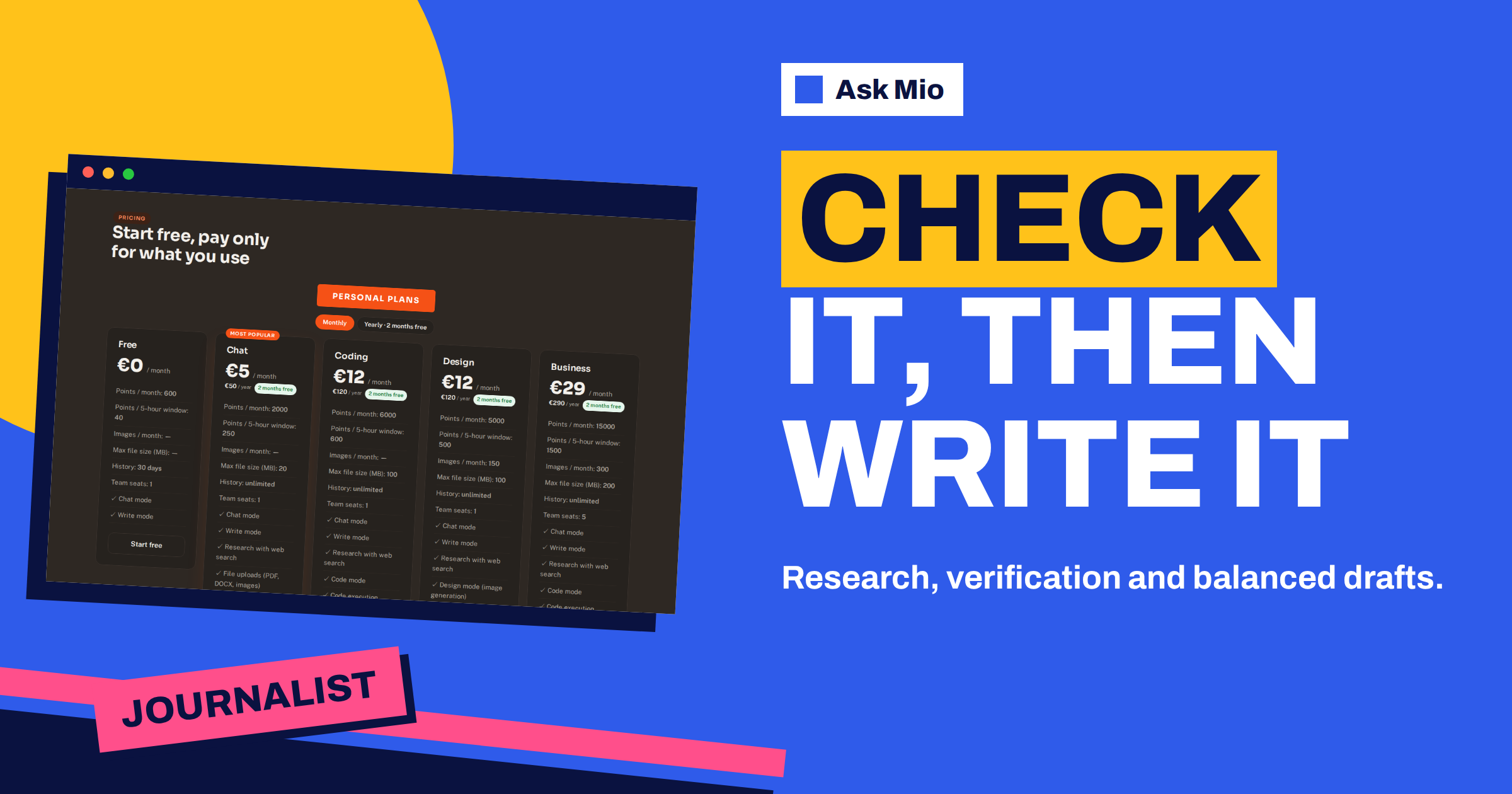
An AI journalist in Ask Mio is an expert you switch on when you need to research a topic, check claims and write a balanced piece. The features page describes the Journalist expert as one that “researches, verifies and writes balanced pieces”, and it can use tools such as web search, news headlines, a page reader and Wikipedia while it answers. This guide explains a safe routine for using it, from the first question to a published draft, and where a human still has to do the checking.
The key idea is simple. An assistant can gather and organise material very quickly, but journalism is about accuracy and accountability, and those stay with the person whose name is on the piece. Used this way, Mio saves time on the slow parts and leaves the judgement to you.
AI journalist in Ask Mio: what you get
Several parts of Ask Mio matter to someone who writes factual pieces. They work best together.
| Part | What it does | Use it for |
|---|---|---|
| Journalist expert | Researches, verifies and writes balanced pieces | Setting the tone and rules for the whole chat |
| Research mode | Web search with cited sources, facts separated from opinions | Background and source lists |
| News headlines tool | Recent headlines on a topic, with links and dates | Seeing how a story is being covered |
| Web page reader | Opens a URL and reads its text | Reading the original document or statement |
| Wikipedia tool | Encyclopedic summary of a person, place, company or term | Quick orientation, not proof |
| Research brief job | A sourced brief on a topic | A starting document for an article |
Experts are described in our guide to Ask Mio experts and ready-made jobs. For the research side, see the guide to AI research with sources.
Step 1: define the story before you search
A strong piece starts with a sentence that says what is new or important. Ask Mio to help you sharpen it: “My topic is the new local parking rules. Suggest five angles, and for each one say who is affected, what a reader needs to know and which facts would prove the angle.”
Then fix the boundaries:
- Audience. Residents, business owners or specialists?
- Length and format. News item, explainer or longer feature?
- The question you must answer. For example, who pays, from when and how much.
- What you will not claim. Opinions, motives and predictions need clear labels.
Putting these into the first message sets the Journalist expert up for a useful conversation instead of a generic essay.
Step 2: gather sources, in a sensible order
Good reporting uses a ladder of sources. Ask Mio to build the list in this order:
- Primary sources. The law text, the court filing, the company statement, the dataset.
- Official summaries. Press releases and agency pages, understood as the issuer’s view.
- Independent coverage. Reports from outlets that are not party to the story.
- Experts and affected people. Names you can contact for a comment.
- Background. Encyclopedia entries and earlier reports.
Research mode returns answers with cited sources, and our features list says it separates facts from opinions. Treat each citation as a lead: open it, read the passage and check that it says what the summary claims. The Web page reader tool opens a URL and reads its text, which helps when you want Mio to extract the key paragraph from a long document. Our guide to the AI source credibility check gives questions for judging a source.
Step 3: verify claims one by one
This is the step that separates reporting from summarising. Ask Mio to list every factual claim in your draft or notes as a table with four columns: the claim, the source you have, the strength of the source and what is still missing.
Then work through it:
- Numbers. Confirm the figure, the unit, the period and the denominator. “Up 20 percent” from what?
- Quotes. Use the original wording, with the speaker and date. Do not let any assistant “tidy” a quotation.
- Dates and names. Check spelling and titles against the primary source.
- Causes. Where the source only shows a link between two things, say so. See the explanation of fact-checking for common methods.
Mio can be wrong, and it can present an invented detail in a confident voice. The terms of Ask Mio state that answers are produced by AI and may contain errors, so verification is part of the job, not an optional extra. Our guide to AI fact-checking goes deeper on the method.
Step 4: check the balance
A balanced piece does not mean equal space for every opinion. It means that the main positions are described fairly, in their own terms, and that claims are weighed by evidence. Ask Mio for a “steelman” of each side: “State the strongest version of each position in two sentences, using only claims that sources support.”
Next, ask a harder question: “Which relevant voice is missing from my list of sources?” Often the missing voice is the person who bears the cost, such as a tenant, a small supplier or a patient. Add a request for contact details of organisations that represent them, and then do the outreach yourself.
Also ask Mio to mark loaded words in the draft. Terms such as “slammed”, “crisis” or “scheme” carry a judgement. Replace them with neutral wording unless the source uses them and you attribute them.
Step 5: write in a clear structure
Once the facts are in place, Mio helps with form. The classic inverted pyramid puts the most important facts first and the detail later. For a news piece, ask for:
- A headline that states the fact, without clickbait
- A first paragraph that answers who, what, when, where and why
- Two or three paragraphs of key facts, each with attribution
- Context and background
- The reaction or comment, labelled as such
- What happens next
For an explainer, ask for questions as subheadings, such as “What changes on 1 January?” and “Who is exempt?”. Tell Mio the target reading level and a word limit. Keep your own byline responsibility in mind: read every sentence and remove any line you cannot support from a source.
A last pass for style is worth the few points it costs. Ask Mio to shorten long sentences, cut filler words and flag passive constructions that hide who did what. “Fees were raised” leaves out the decision-maker; “The council raised the fees” names it. Clear attribution is both better writing and better journalism, and it makes your verification table easier to follow.
Step 6: finish with a correction-ready file
Professional newsrooms keep a source file, so that a later question can be answered quickly. Ask Mio to produce one when the piece is ready: each claim, its source link, the date you checked it and the person you contacted. Mio can create downloadable files on request, including Word and Excel, so you can store it with the article.
If you publish online, the same file lets you fix an error openly and quickly. Our article on AI source credibility and the guide for journalists describe further habits that protect your reputation.
A worked example: a local news story
Tomas writes for a small regional site. A city council has published new parking rules, and he has an afternoon. He switches on the Journalist expert and asks for angles, then chooses “what changes for residents with a permit”.
He asks the Web page reader to open the council’s page, and Mio lists the changes with the exact paragraph for each. He uses the News headlines tool to see what other outlets have written and notices that nobody has covered the fee for a second car. Research mode gives him two background sources on similar rules elsewhere, which he opens and reads himself.
Mio builds a claim table. Two rows are marked “source missing”, including a figure from a social media post. Tomas phones the council press office for the missing number and asks Mio to draft three neutral questions before the call. After the call he writes the piece, asks Mio to mark loaded words and shortens the headline. The source file goes into the article folder.
The result is faster than doing every step by hand, and each claim still has a source he has seen.
What the expert will not do
- It does not interview people or make calls.
- It does not guarantee that every cited page says what a summary claims. Read the page.
- It does not replace editorial and legal review for sensitive stories, especially anything about named individuals.
- It does not decide what is in the public interest. You do.
Be especially careful with personal data and unproven allegations. Our article on AI and automated decisions in GDPR is a useful reminder that privacy rules apply to the material you handle.
Which plan suits a writer who checks facts
| If you mostly… | Consider |
|---|---|
| Draft short factual pieces and test the workflow | Free plan: Chat and Write, 600 points a month |
| Use Research mode with web search and upload documents | Chat, 5 euros a month, files up to 20 MB |
| Work with data or code in your stories | Coding, 12 euros a month, with the sandbox |
| Share a source file with a small desk | Business, 29 euros a month, 5 seats |
Research with web search starts on the Chat plan, according to the pricing page. A normal chat reply costs about 1 point and a long or complex one 3, so a research session is rarely expensive. Our guide to Ask Mio plans compares the tiers.
Frequently Asked Questions
Can Ask Mio act as a journalist?
It can act as a research and writing assistant. The Journalist expert researches, verifies and writes balanced pieces, using tools such as web search and the page reader. It cannot interview people, and you remain responsible for every claim, so check sources yourself before anything is published.
Does Mio give sources for its claims?
Research mode searches the web and cites its sources, and it separates facts from opinions. A citation is a lead, not proof. Open the source, read the relevant passage and confirm that it says what the summary says. Ask Mio for the exact wording of any quote you plan to use.
Can I use it to write news headlines?
Yes. Ask for several headlines that state the fact plainly and then pick one. Mio can also use the News headlines tool to show recent coverage with links and dates, which helps you avoid repeating what is already published. Avoid clickbait and make sure the headline matches the article.
Is it safe to paste interview notes?
Ask Mio says chats and files are not used to train AI models and that you can export or delete them. Even so, protect confidential sources: remove names and details that could identify them, and follow your newsroom’s policy. When in doubt, keep the material out of any assistant.
Will it write opinion pieces?
It can help with structure and arguments, but an opinion piece reflects your view. Ask Mio to lay out the strongest points on both sides, then write your own position. Label opinion clearly so that readers can tell it from reporting, and do not present a generated argument as fact.
Which plan do I need for Research mode?
Research with web search is included from the Chat plan at 5 euros a month. The free plan has Chat and Write only, with 600 points a month. For documents and files, the Chat plan allows uploads up to 20 MB, and the Business plan raises that to 200 MB.
The Bottom Line
An AI journalist in Ask Mio is a fast research and drafting partner, not a reporter. Define the angle first, build a ladder of sources, verify every claim in a table, check the balance, write in a clear structure and keep a source file. Mio saves hours on gathering and organising, while the checking and the responsibility stay with you. Try it on the free plan, move to Chat when you need Research mode and compare the options on the Ask Mio pricing page.